


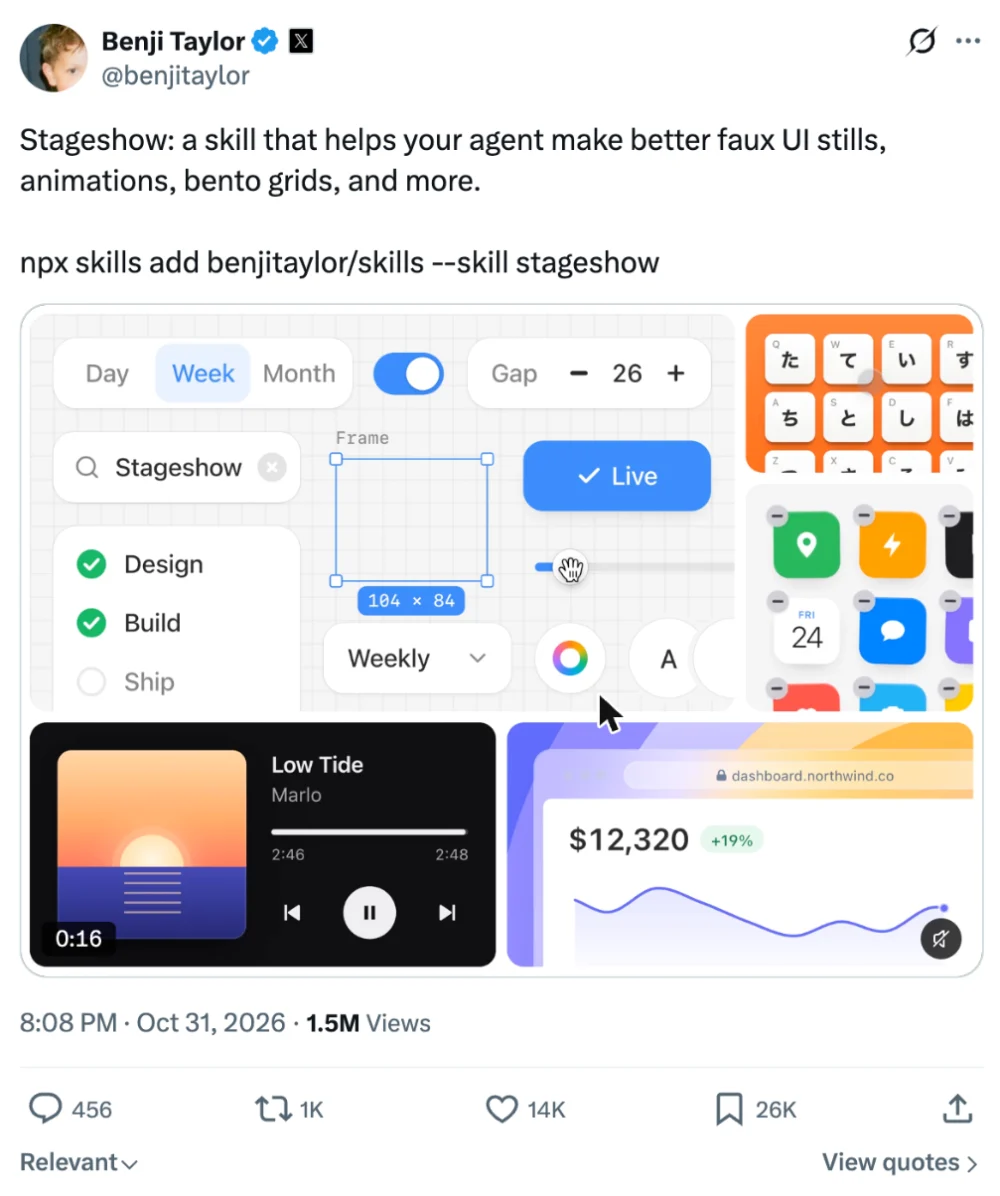
Hi, this is Darius. On October 31, Benji Taylor, who leads design at X, gave away the process he uses for the small animated product demos you see on landing pages. He packed it into a free skill called Stageshow, and his launch post on X passed 1.5 million views.
I wanted to see whether Stageshow really changes what Claude Code makes. So I ran the same prompts twice, once in plain Claude Code and once with the skill loaded, and put the results side by side.
What is Stageshow?
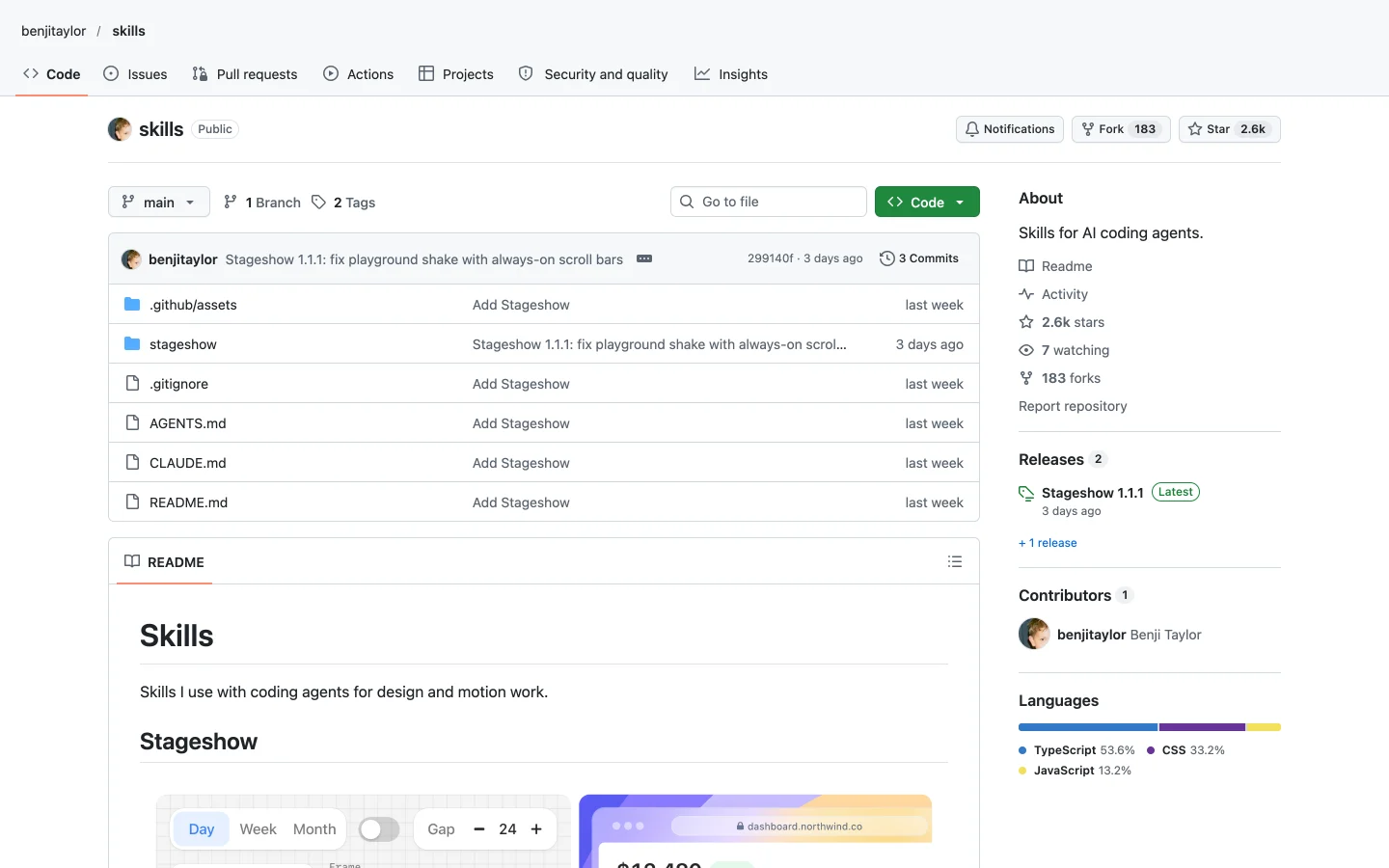
2.6K GitHub stars14.8K installsMITFree
It’s an open source agent skill from Benji Taylor. It teaches a coding agent to build faux product UI, meaning a simplified, working copy of one screen of your app, made for a landing page, a feature card or a docs page. It makes stills, cursor walkthroughs and bento grids, and the output is plain React and CSS.
The folder holds the instructions, a small React kit, dozens of example demos Benji calls gold examples, a playground to browse them, and a script that films the result. It works in Claude Code, Codex, Gemini and other agents.
The five mistakes Stageshow fixes in AI demos
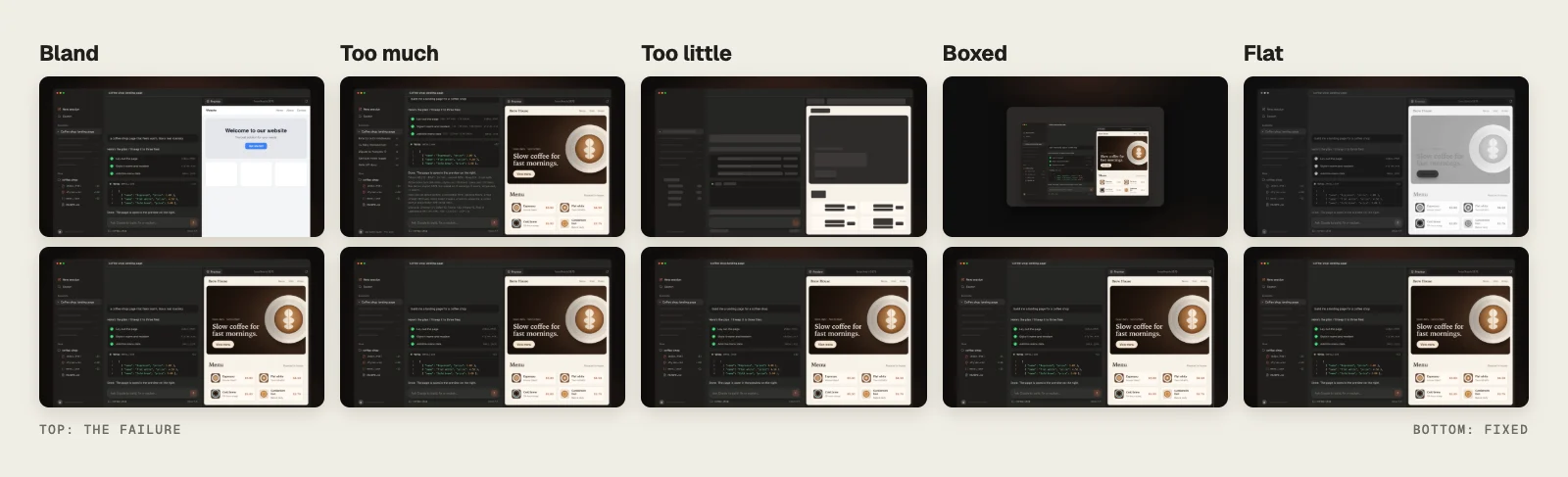
Ask an agent to animate your app and the result is usually close, with one small detail that gives it away. Benji named five of those details:
- Bland is when you ask for a style and get a template back.
- Too much is real words in every corner, so nothing stands out.
- Too little is a set of gray boxes that no longer looks like your product.
- Boxed is the whole app shrunk into a card, like a pasted screenshot.
- Flat is when every element on screen has the same weight.
How Stageshow works: seven steps
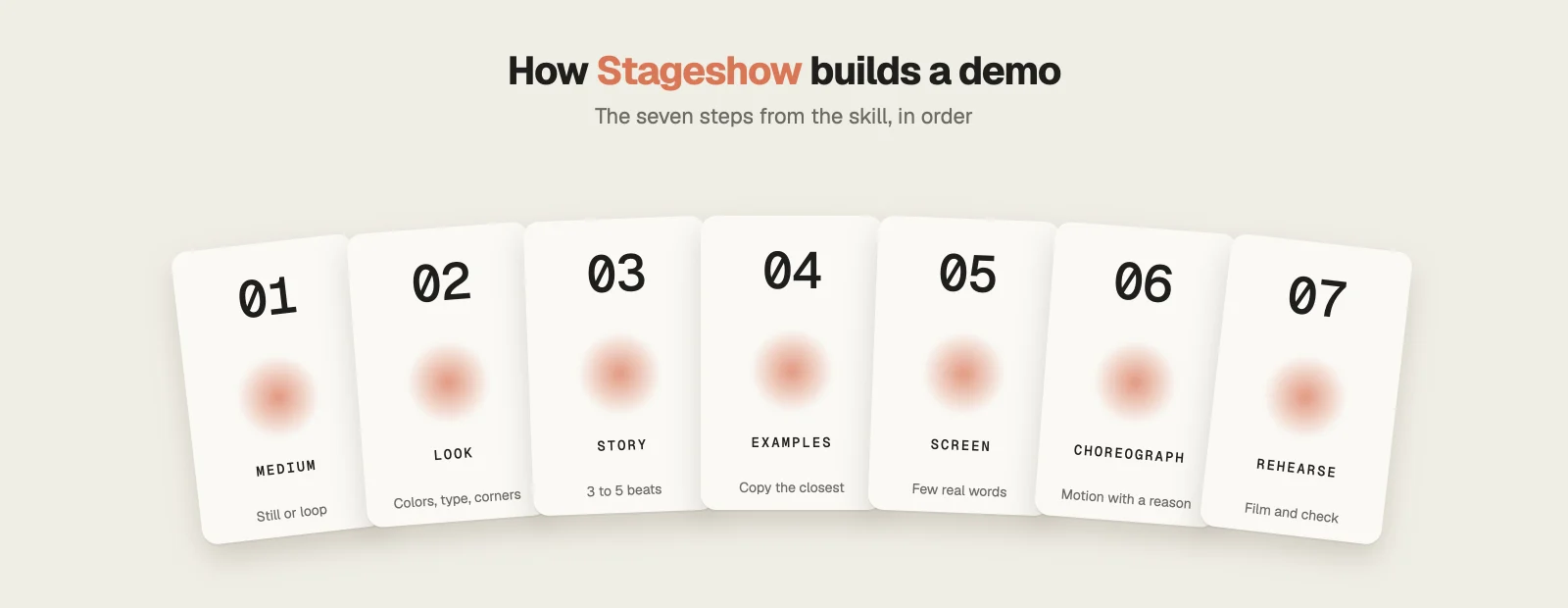
Benji’s view is that taste is mostly small decisions made over and over until you know which ones hold up. Stageshow writes his decisions down as seven steps, and most of them happen before the agent writes any code.
- Pick the medium: a still or an animation, looping or played once, and where it sits on the page.
- Set the look: light, dark, blueprint or glass, one accent color, and the product’s real chrome and icons.
- Plan the story: what using the product feels like, cut into three to five beats.
- Start from an example: copy the closest gold example and adapt it to your product.
- Fill the screen: a few real words where the story needs them, placeholder lines everywhere else.
- Choreograph the motion: beats overlap, groups stagger, and the loop ends where it began.
- Rehearse: film the demo, review every frame at desktop and phone width, and check the loop seam.
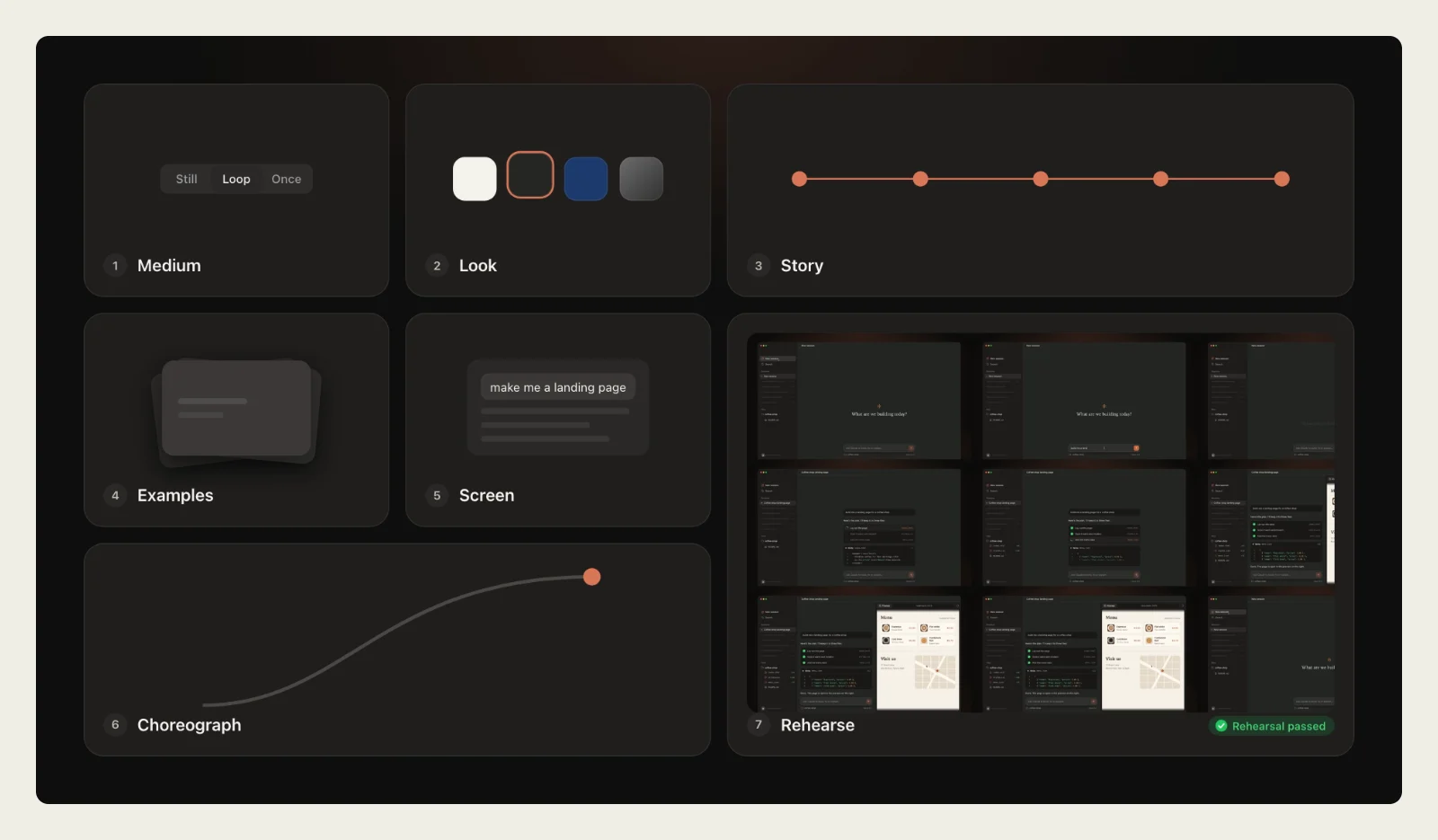
I haven’t seen the rehearse step in any other design skill. A script plays the demo in a headless browser, lays the frames out on one contact sheet and measures things like jumps, cramped padding and text that doesn’t fit. The agent can’t hand the demo over until the check prints “rehearsal passed”. It then writes REHEARSAL.md, a short note on which example it copied, what it changed and what it didn’t check.
For more skills that improve how Claude designs, see my list of Claude Code design skills.
Stageshow vs plain Claude Code: my test
I used Claude Code with Opus 5.5. Each prompt ran in a fresh chat without the skill, then in a second fresh chat with /stageshow in front of the same words.
Test 1: a basic prompt
The first prompt asked for a short animated demo of the Claude Code app: someone types “make me a landing page”, clicks send, and index.html slides into the sidebar.
Before showing me anything, the skill filmed its own demo and caught five problems. Among them were a big empty gap above the chat, uneven padding in the code card and text cut off on the phone. It fixed them and filmed again until the check passed.
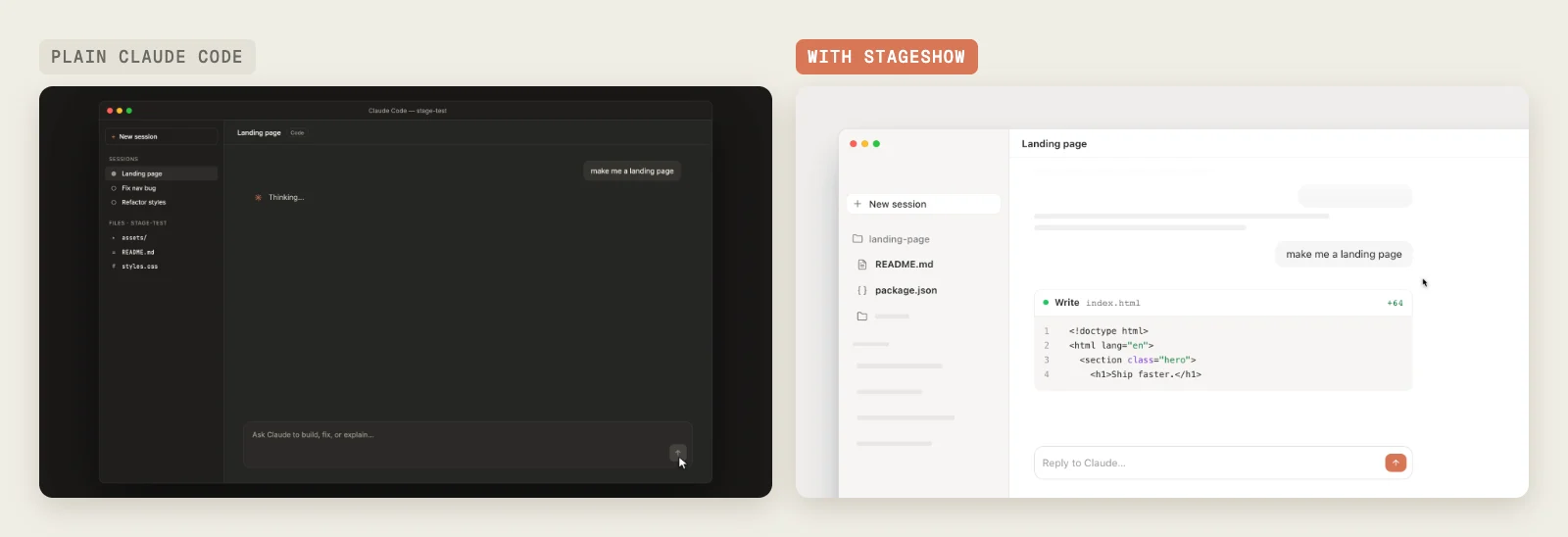
- Without the skill, the window floats in the middle of a dark frame, so all the text is small. The skill lets it run off the edge, and everything reads larger.
- Plain Claude wrote every session and file name as real text. The skill kept the prompt, the file names and the code, and turned the rest into gray bars.
- Six seconds in, the plain version still showed “Thinking” over an empty screen, while the other one was already writing code.
Test 2: a harder prompt
The second prompt packed in six moments: a request for a coffee shop landing page, a three step plan that ticks off, three files appearing in the sidebar, a preview pane opening on the finished page, and a cursor clicking View menu to scroll down. It also asked for a separate phone version, a loop with no visible restart and a still frame for people who turn animations off.
Plain Claude Code handled this one well. Its coffee page has a strong hero with a cup, and it looks good. Benji says the best models already get close and that small details give them away, so that’s where the two versions differ.
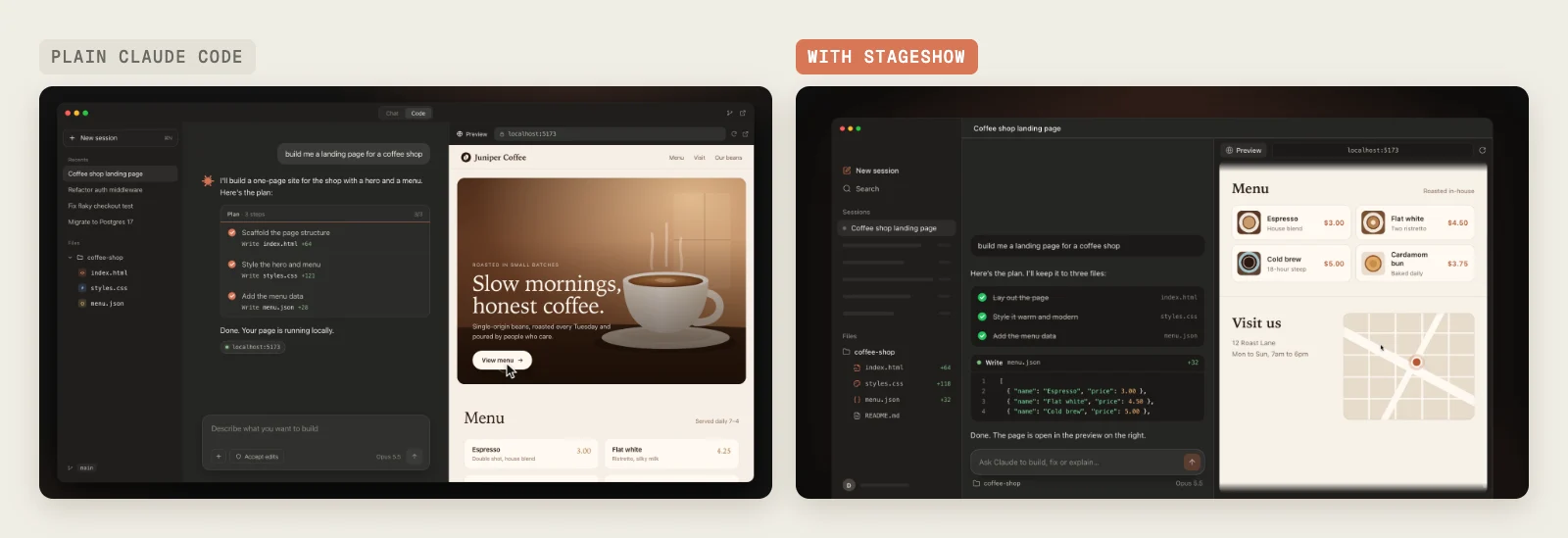
- The file list shows how many lines each file got: +64, +118 and +32.
- The plan names the file each step writes, and finished steps are crossed out.
- Other sessions in the sidebar turn into gray bars, so they don’t compete with the story.
- The window runs off the bottom of the frame.
- The recording plays at 60 frames a second, against 30 for the plain one, so the cursor and slides move more smoothly.
The phone version
The phone showed the biggest gap. Without the skill, Claude Code drew a whole iPhone with a status bar and a keyboard, and when the keyboard slides away a strip of it stays stuck at the bottom edge. With it, Claude drew no phone at all. It laid the app out again for a narrow screen, with the files in one strip with a running line count and cards big enough to read.
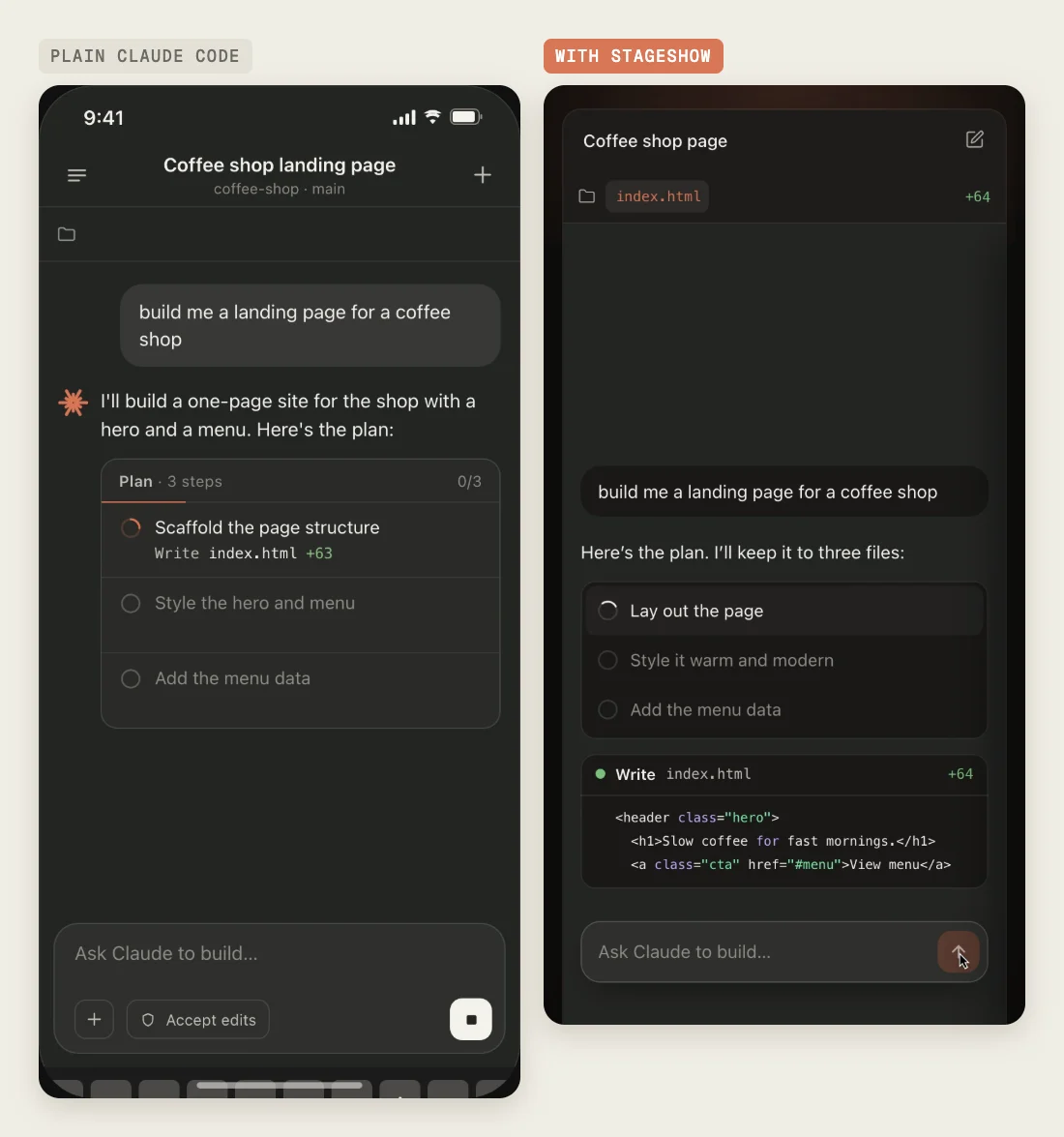
A Stageshow run takes longer than a plain prompt, since the agent plans, builds, films and fixes before it hands anything over.
Want to put demos like these on a real site? Here is how to build a website with Claude Code.
How to install Stageshow
Install it
Easiest: open Claude Code, type Install this skill: and paste github.com/benjitaylor/skills
npx skills add benjitaylor/skills --skill stageshow- Run the command in your project folder, or ask Claude Code to run it for you.
- Pick Claude Code as the agent, then choose this project or every project.
- Start a new chat so the skill loads, then type /stageshow and describe one interaction in one product.
- To browse Benji’s examples on desktop and phone, ask Claude to open the Stageshow playground.
Frequently asked questions
What is Stageshow?
Stageshow is a free, open source agent skill from Benji Taylor, head of design at X. It teaches a coding agent like Claude Code to build faux product UI: still images, cursor walkthroughs and bento grids of your app, written in React and plain CSS, for landing pages and docs.
Is Stageshow free?
Yes. Stageshow is MIT licensed and costs nothing to install. You only pay for the AI model your agent runs on.
Does Stageshow work with Claude Code?
Yes. Install it into your project, start a new chat and type /stageshow before your request. Benji also lists Codex, Gemini and Grok Build as agents it works with.
Does Stageshow screenshot my real app?
No. It builds a simplified copy of one screen in React and CSS, styled with your product’s colors, type, icons and chrome, and keeps only the few real words the story needs.
Can I use Stageshow demos in a video?
Yes. For my video I stepped each demo frame by frame with a small Playwright script and saved it as a 1920 by 1080 MP4 at 60 frames per second.
Final verdict: is Stageshow worth installing?
If you put product demos on a landing page, yes. Plain Claude Code already gets close. Stageshow handles the framing, the clutter and the phone layout, and it checks its own frames before you see them. It’s free, so the only cost is a longer run. For more new skills like this one, see my roundup of new Claude skills.