


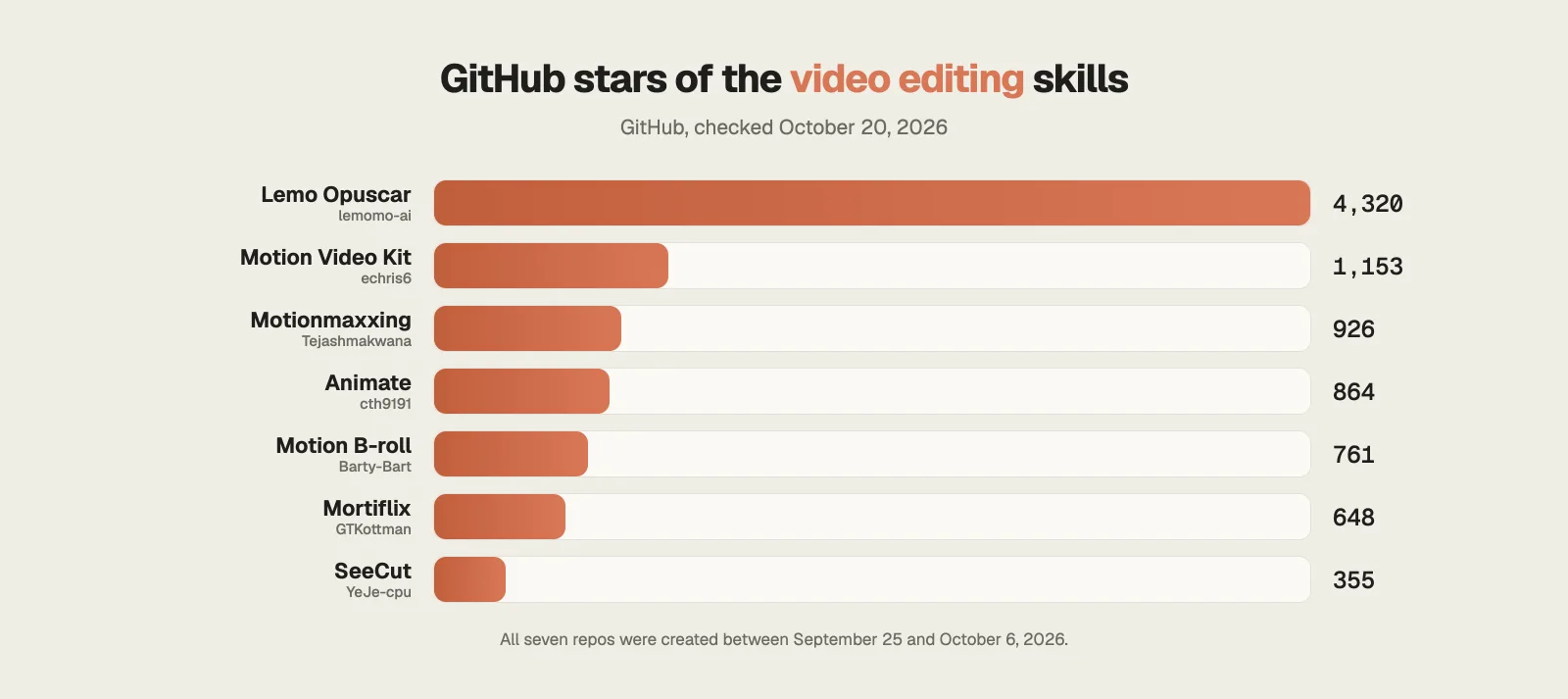
Hi, this is Darius. At the start of October I put out my first list of video editing skills for Claude. Since September 25, seven more skill repos for video editing with Claude have gone up on GitHub, and the most popular one already has 4,320 stars.
This guide covers the newest skills for Claude Code video editing, in the same order as my video. Two work on footage you film yourself, and five make videos from code, so some of them act as a full Claude Code video editor while others do one job. For each one you’ll see what it does, an example, the catch, the license and how to install it.
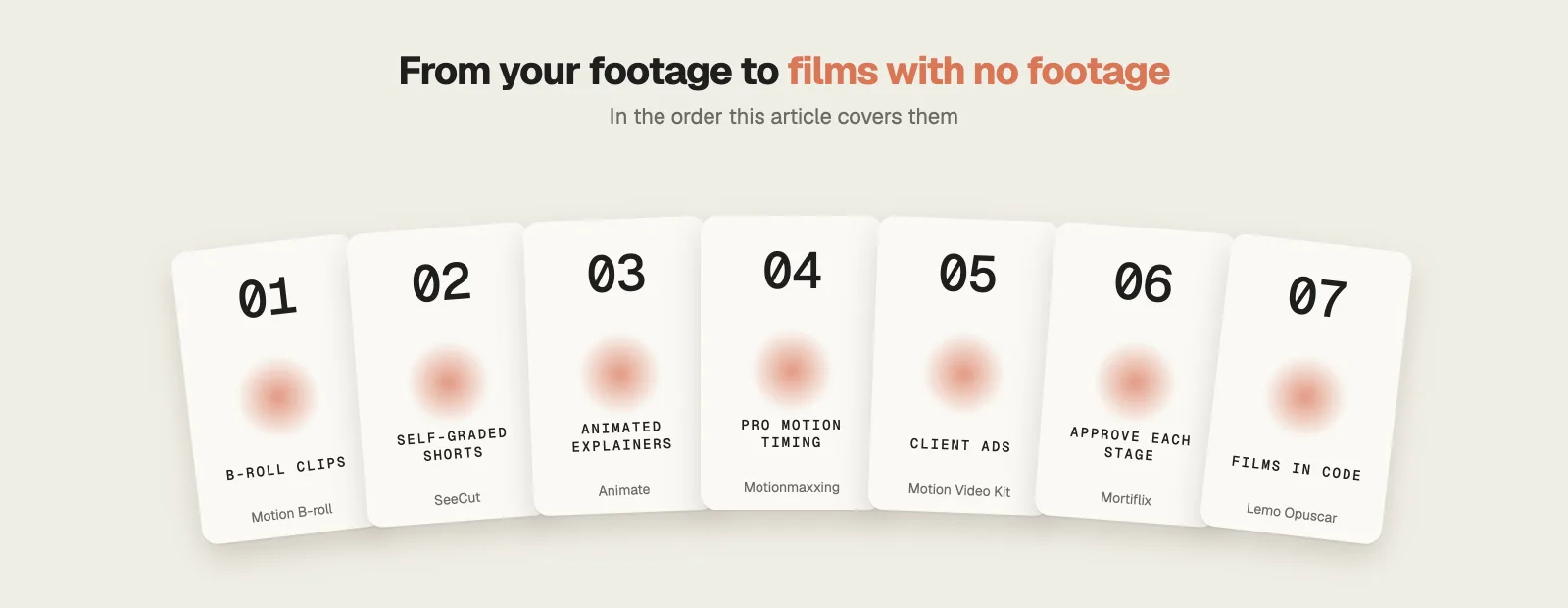
How popular are the new Claude Code video editing skills?
Lemo Opuscar has the most stars by far, with 4,320. Motion Video Kit, Motionmaxxing, Animate, Motion B-roll and Mortiflix sit between about 650 and 1,150, and SeeCut has 355. All seven Claude Code video editing repos are less than a month old.
Step 1 · B-roll clips
1. Motion B-roll: motion graphics timed to your transcript
761 GitHub starsMIT (skill README)Free
A talking head with nothing else on screen gets boring fast, and making cutaways by hand takes hours.
Motion B-roll is one of six skills in Bart’s motion-graphics repo (Barty-Bart on GitHub). You hand Claude your video plus its transcript, and it designs animated clips that land on the words you say.
What it does
- Claude watches the footage first, then lays out a plan table with every clip and waits until you approve it.
- For each line it chooses between a full-frame cutaway, a transparent panel in the empty space beside you, or no clip at all, and gives its reason.
- Charts stay as empty outlines until you supply the real figures, because the skill won’t invent numbers.
- Clips render with motion blur at your frame rate, and a compare.html page plays your original next to the version with graphics.
Example: You record a ten minute tutorial about your writing prompts. Each clip comes back with its timeline position in the file name, like 04-master-prompt_0m32s40.mp4, so you know exactly where it goes.
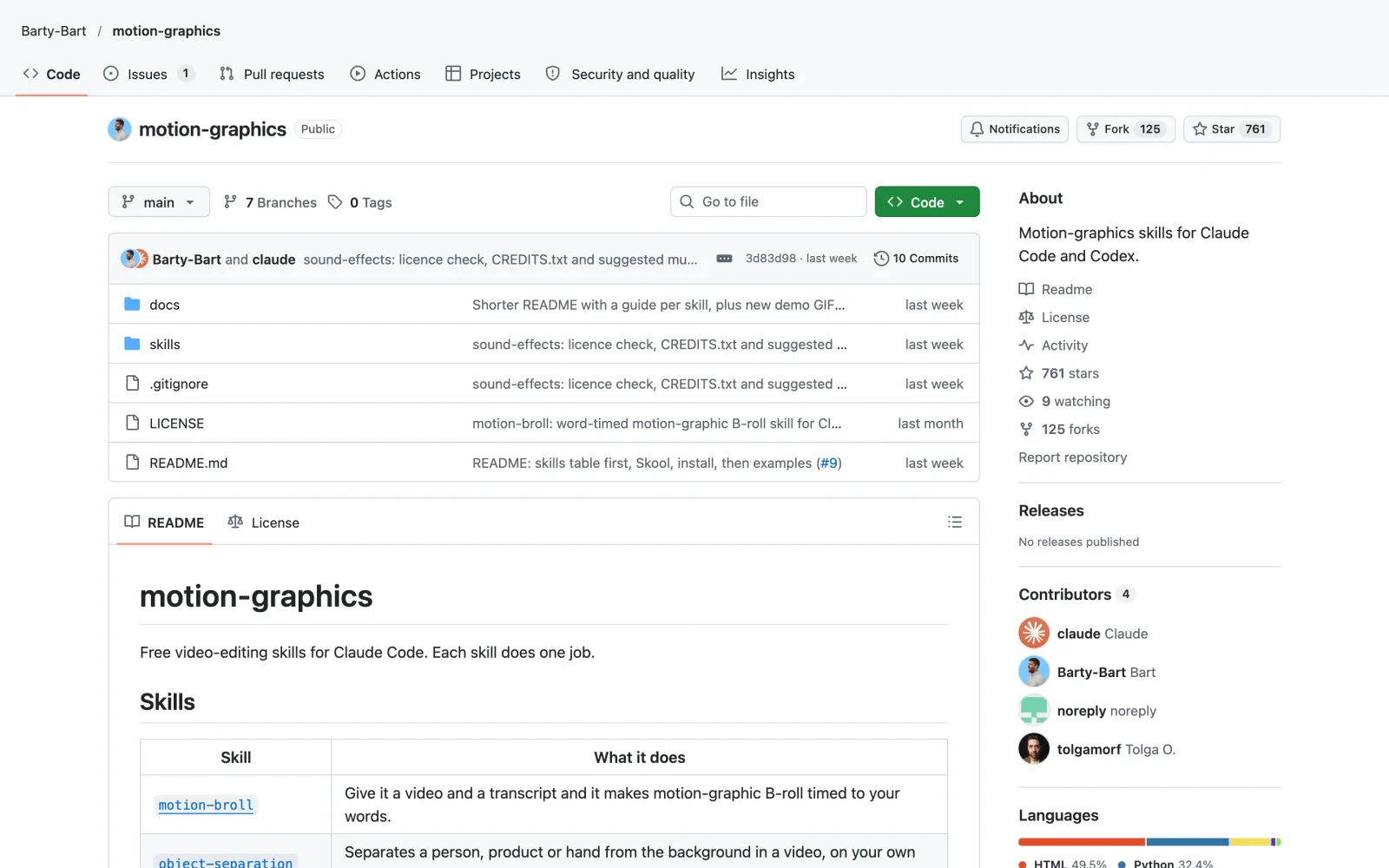
The catch: The finished edit is still your job. The preview render is meant for review, and the README tells you to place the clips in your own editor for the final cut. The repo root has no license file, so GitHub shows no license, but each skill’s README says MIT.
Install it
Easiest: open Claude Code, type Install this skill: and paste github.com/Barty-Bart/motion-graphics
npx skills add Barty-Bart/motion-graphicsFor the earlier batch, my first list of Claude video editing skills covers captions, Manim and music videos.
Step 2 · Self-graded Shorts
2. SeeCut: an AI editor that reviews its own cut
355 GitHub starsPolyForm NoncommercialFree, noncommercial use
Most AI editors make one cut and hand it over, whether it works or not.
SeeCut, made by YeJe, turns a short vertical talking-head clip into an edited Short and then judges the result before you see it.
What it does
- It expects 20 to 30 seconds of half-body vertical footage, and a phone recording is fine.
- It plans the shots, grabs real screenshots of the things you mention as evidence, and renders the edit with HyperFrames.
- Gemini, running through Google’s Antigravity CLI, watches the rendered video itself, where other models usually see a handful of still frames.
- Each new version goes head to head with the previous one twice, with the order swapped, and only wins if it comes out ahead both times. The loop stops at three versions.
Example: Film yourself on your phone talking about a budgeting app. The Short that comes back shows the app’s real website, hand-drawn circles around the details you mention, and your face switching between full screen and a small window.
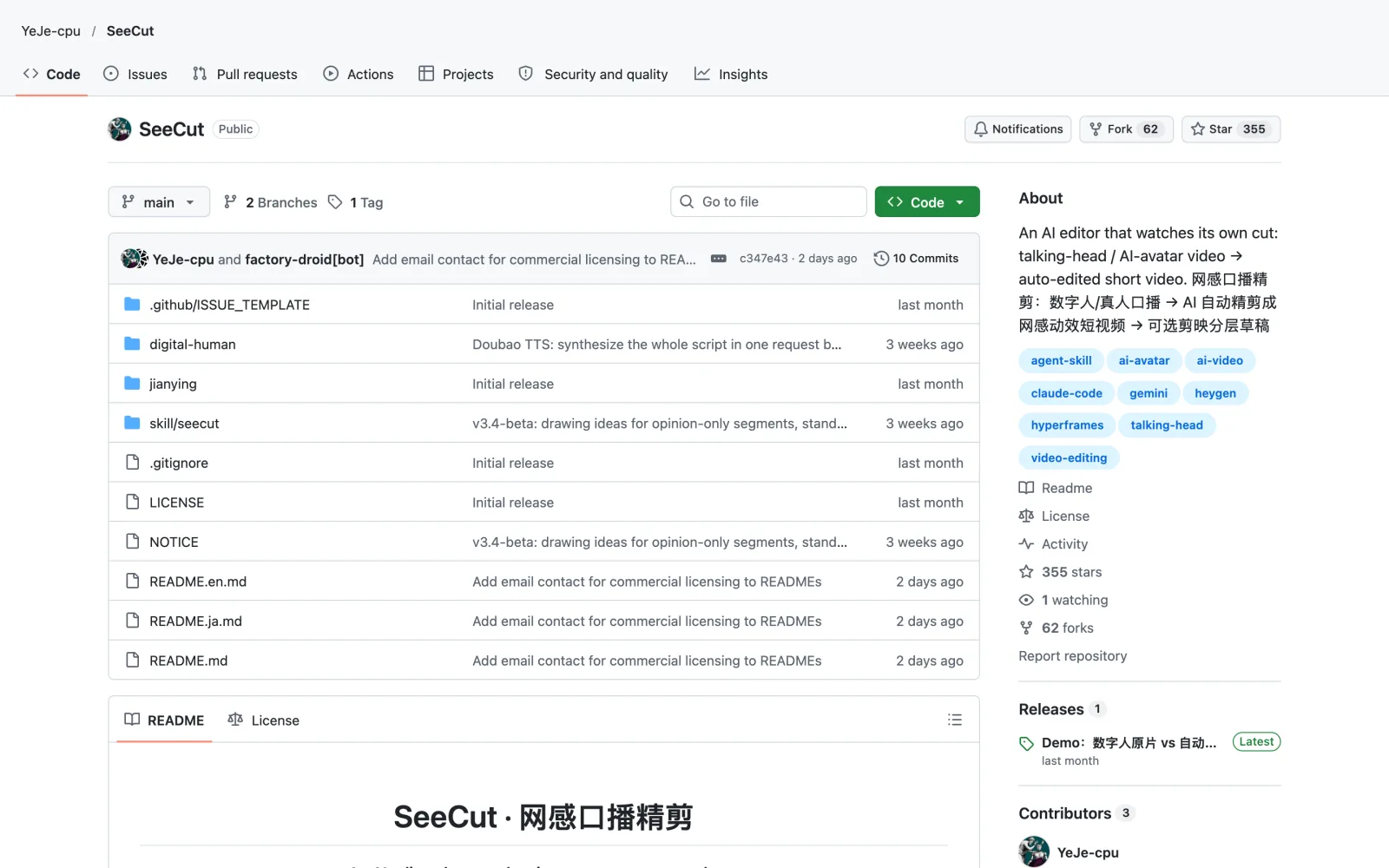
The catch: It’s slow. The README says a 25 second sample takes about an hour, and the review loop needs a Google account for Gemini. The license is PolyForm Noncommercial 1.0.0, so paid client work needs the author’s permission. It’s tested on macOS only so far.
Install it
Easiest: open Claude Code, type Install this skill: and paste github.com/YeJe-cpu/SeeCut
git clone https://github.com/YeJe-cpu/SeeCut.git
cp -r SeeCut/skill/seecut ~/.claude/skills/
zsh SeeCut/skill/seecut/scripts/preflight.shStep 3 · Animated explainers
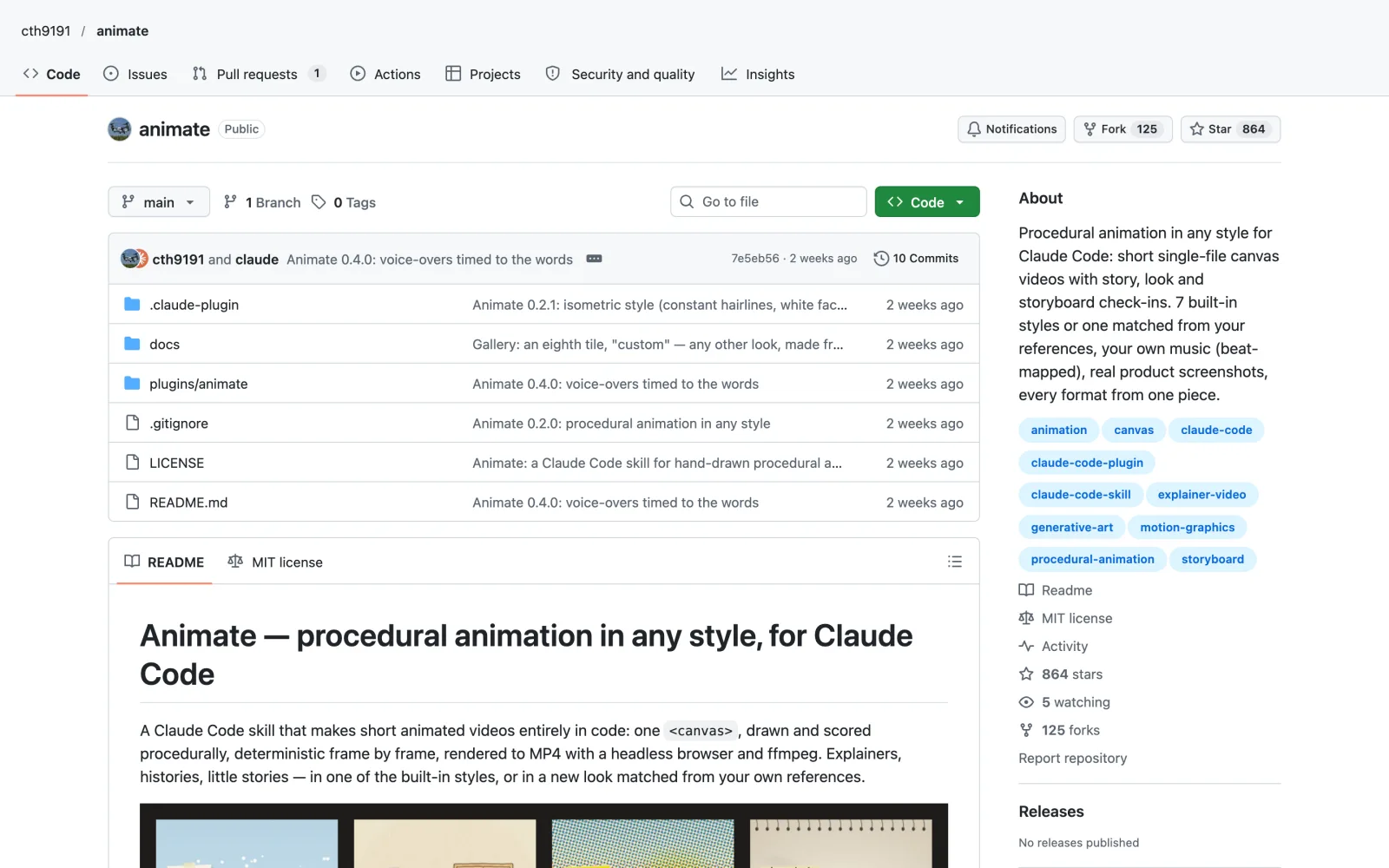
3. Animate: explainer animations drawn entirely in code
864 GitHub starsMITFree
Hand-drawn explainer animation takes days of keyframing, even for a minute of video.
Animate by cth9191 draws short animated videos with code on a single canvas, frame by frame, then renders them to MP4.
What it does
- Seven styles come built in: cut paper, crosshatch ink, riso print, sketchbook, math, pixel and isometric.
- Give it your own reference images and it measures their colors, line weight and cutting rhythm to build a new look.
- You sign off three times before the expensive part starts: a story beat table, two to four style frames, and a storyboard.
- It can sync the picture to a voice-over, cut on the beats of your own music, and drop real product screenshots into the style.
Example: Ask for a 40 second explainer on how coffee gets from the farm to your cup, in the riso print style. You get it back in 9:16, 1:1, 4:5 and 16:9, and every format has its own layout, so nothing is cropped off the edges.
The catch: Setup takes a few minutes. You need Node 18 or newer, Playwright with Chromium and ffmpeg, plus faster-whisper for voice timing and the ElevenLabs connector if you want Claude to make the voice-over.
Install it
Easiest: open Claude Code, type Install this skill: and paste github.com/cth9191/animate
npm i -g playwright && npx playwright install chromium
/plugin marketplace add cth9191/animate
/plugin install animate@animateIf you run a channel without showing your face, see my guide to faceless YouTube with Claude.
Step 4 · Pro motion timing
4. Motionmaxxing: motion timing measured from professional work
926 GitHub starsApache-2.0Free, ElevenLabs optional
A lot of AI promos are clean and still look cheap: a label in the corner, a headline held on the left, a card on a flat color, and a fade between every beat.
Motionmaxxing by Tejash Makwana makes launch films, promos and kinetic type, and its timing comes from measurements of professional motion design.
What it does
- Six AI analyst agents, checked by a human, decoded 53 pro motion moments frame by frame and found 4,288 distinct moves.
- From that data it uses a median move of 10 frames, has things slow down as they arrive from larger than life, and never grows anything from zero.
- Give it a website and it captures the brand, picks one idea, and shows you that idea and a storyboard before building.
- After rendering, scripts check the film. More than 3 flat frames in a row fails, an end hold over 1.4 seconds fails, and the corner-label pattern fails.
Example: Point it at a note-taking app’s homepage and ask for a 20 second launch film. The README’s own before and after comparisons for Spotify, Cluely and Wispr Flow show the kind of change to expect.
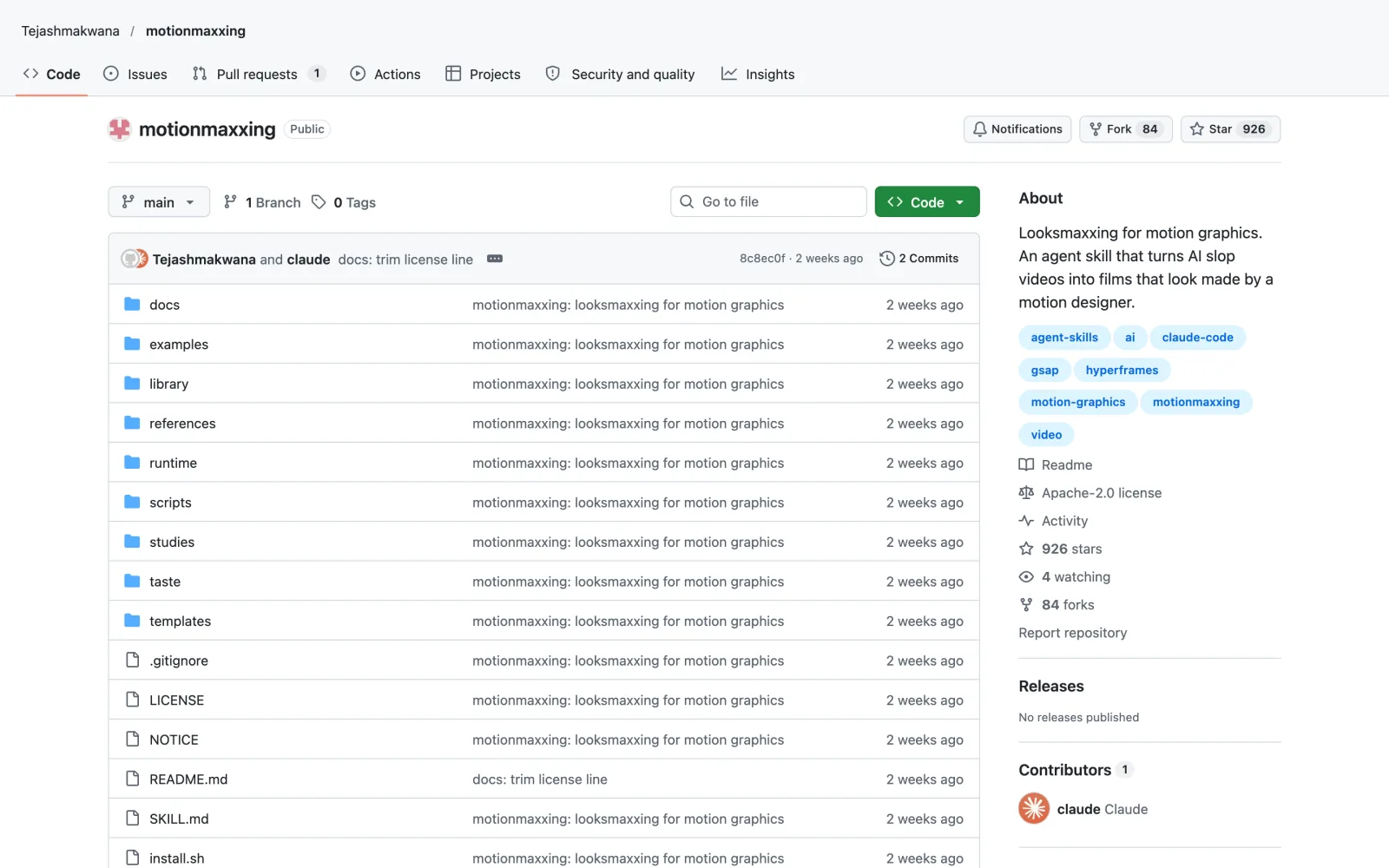
The catch: The author calls it an early release, and docs/KNOWN-LIMITS.md lists the gaps, such as WebGL renders at about 7 to 11 frames per second. Voice, sound effects and music need an ElevenLabs API key.
Install it
Easiest: open Claude Code, type Install this skill: and paste github.com/Tejashmakwana/motionmaxxing
git clone https://github.com/Tejashmakwana/motionmaxxing ~/.claude/skills/motionmaxxing
bash ~/.claude/skills/motionmaxxing/install.shStep 5 · Client ads
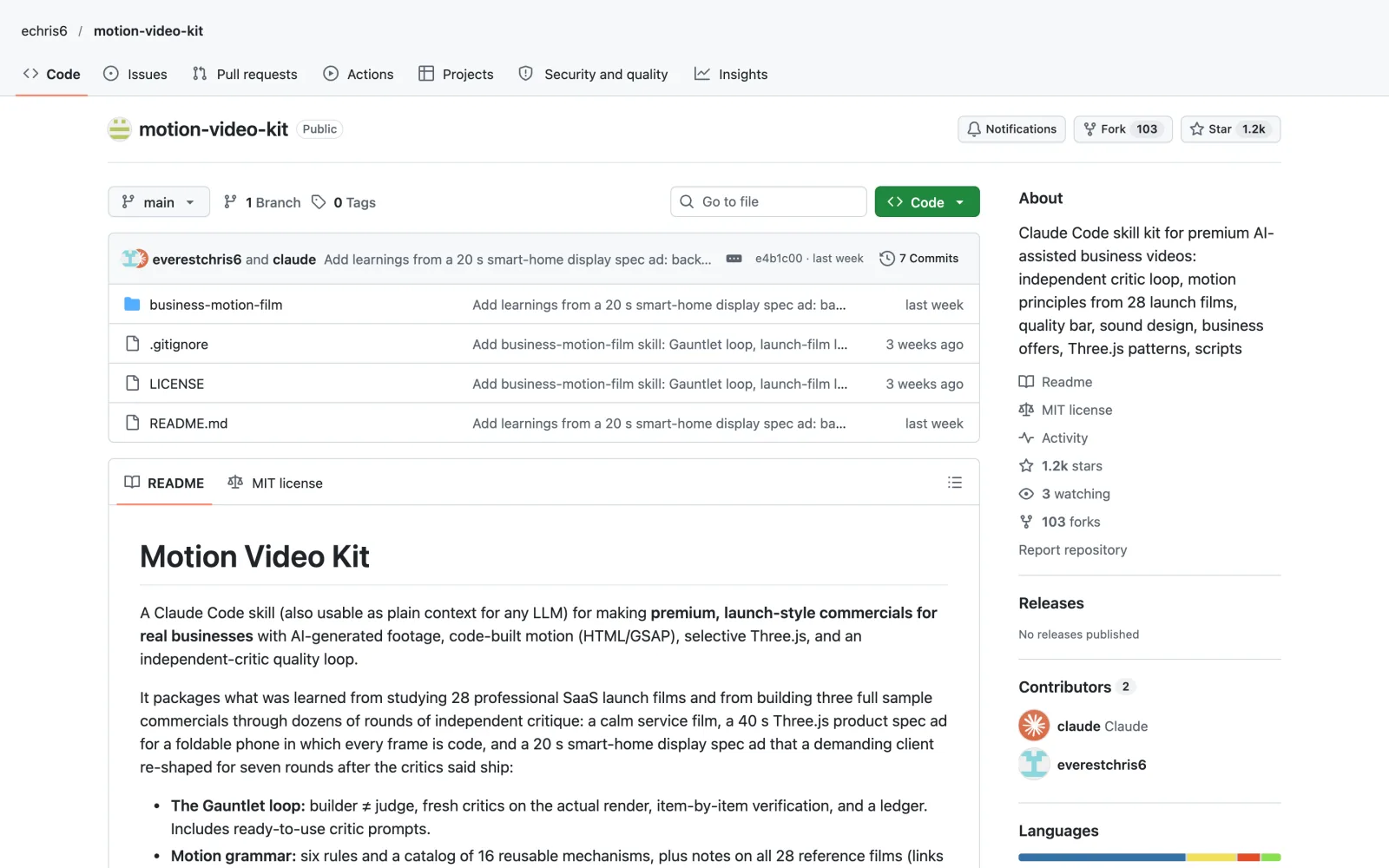
5. Motion Video Kit: business ads checked by independent critics
1,153 GitHub starsMITFree
A paying client checks a video frame by frame and sends notes on anything that looks off.
Motion Video Kit by echris6 is a skill for launch-style commercials for real businesses. It packages lessons from 28 professional software launch films and three sample ads built through dozens of rounds of critique.
What it does
- Its Gauntlet loop keeps the builder and the judge apart. Fresh critic agents review the actual render, verify each item, and track fixes in a ledger.
- It has six motion rules, a catalog of 16 reusable motion mechanisms, and ready-made critic prompts.
- Scripts measure frozen time and loudness in the render.
- A business playbook covers verticals, price anchors and a pilot offer template for selling the work.
Example: Ask for a 30 second ad for a local physiotherapy clinic. The critics go through the render until every item on their list passes, so the client’s first look is already a reviewed cut.
The catch: It’s a kit of rules, prompts and checks you work through with Claude, so it doesn’t render on its own. It works best with HyperFrames, and the price anchors in the playbook are a September 2026 snapshot, so check them before you quote.
Install it
Easiest: open Claude Code, type Install this skill: and paste github.com/echris6/motion-video-kit
git clone https://github.com/echris6/motion-video-kit.git
cp -r motion-video-kit/business-motion-film ~/.claude/skills/Step 6 · Approve each stage
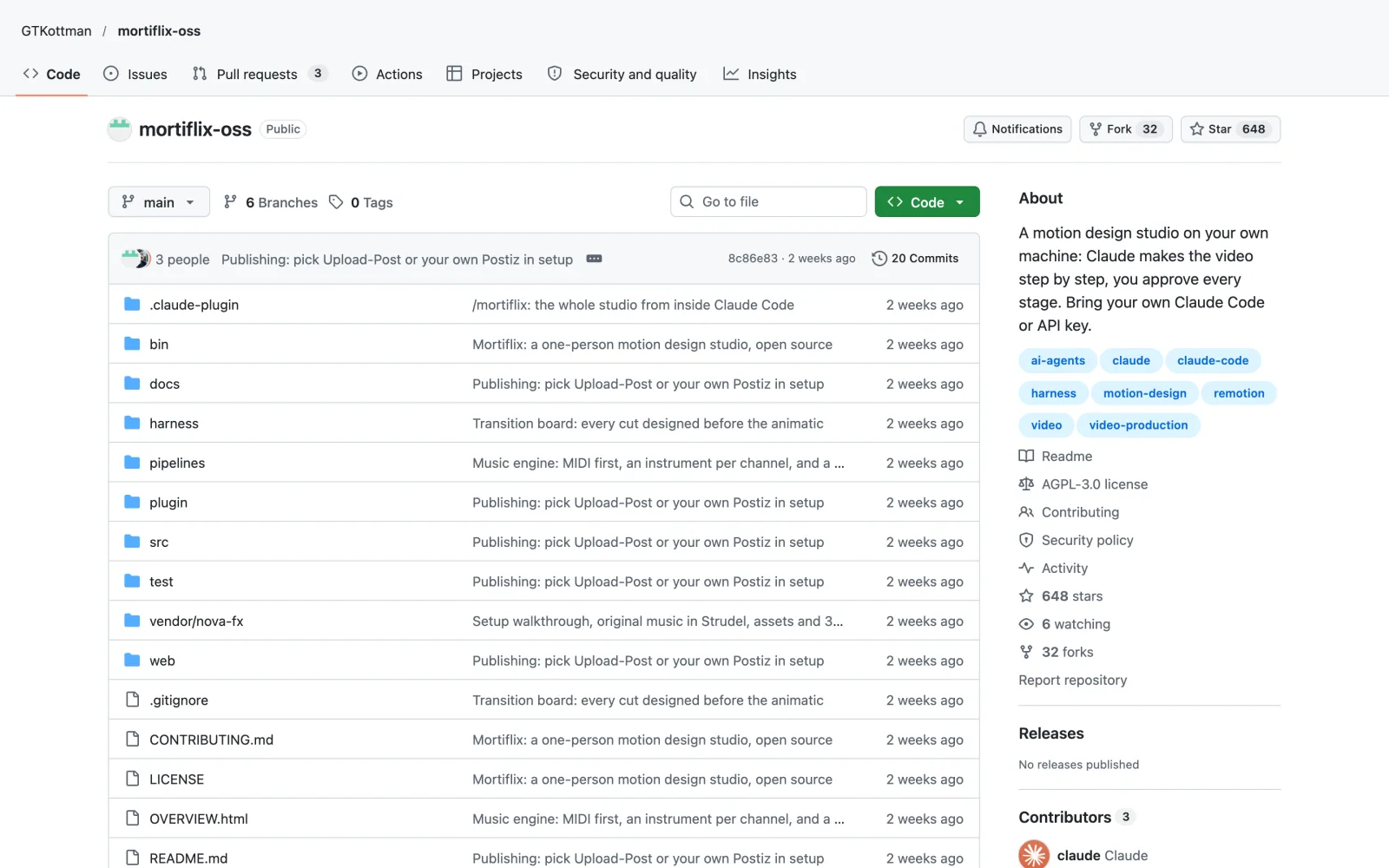
6. Mortiflix: a motion design studio where you approve every stage
648 GitHub starsAGPL-3.0Free, uses your Claude plan
With one-prompt AI video, a bad result means starting from scratch.
Mortiflix by GT Kottman is a motion design studio that runs on your own computer, with Claude doing the work in the same stages a real studio uses.
What it does
- The stages are brief, script, style frames, animatic, build and final, and the session stops at each one until you approve it.
- You can pin a note to an exact spot on a frame or an exact moment in a video, and the next version has to answer every note and show what changed.
- The session ends at each gate, so nothing runs while you think it over, and a fresh session picks up from a journal when you reply.
- A free demo command walks through the whole process with placeholder work, no Claude needed.
Example: A client emails four notes about a 15 second logo animation. You pin each note on the frame it refers to, and the next version comes back with an answer to all four.
The catch: It’s tested mostly on Linux. macOS should mostly work, and the README announces a Windows version. It needs Node 20 or newer and ffmpeg, plus your Claude Code login or an Anthropic API key. Under AGPL-3.0, if you share a modified version or run one as a service for other people, you have to publish your changes.
Install it
Easiest: open Claude Code, type Install this skill: and paste github.com/GTKottman/mortiflix-oss
/plugin marketplace add GTKottman/mortiflix-oss
/plugin install mortiflix@mortiflix
/mortiflixStep 7 · Films in code
7. Lemo Opuscar: short films with no camera and no video model
4,320 GitHub starsMITFree, heavy on tokens
A short film normally needs a camera, a crew or a paid video model.
Lemo Opuscar from Lemomo makes short films with none of those. It has 51 film styles, and each one is a style prompt plus a demo film that Claude Opus 5.5 made entirely in code.
What it does
- Styles include watercolor, ukiyo-e, eighties anime and a 16-bit pixel RPG look, plus Evidence Films, a new set where every number on screen is measured or sourced.
- Every frame is drawn in code, the music comes from free sample libraries, and the narration is text to speech.
- The showcase, OPUSCAR 98, is a 6:31 film that walks through all 98 Best Picture winners, each redrawn in a style that fits it.
- You can turn any style into your own version, and library updates leave it alone.
Example: Ask for a 30 second ukiyo-e film about your grandmother’s bakery, with a calm narrator. You get a finished 1080p film, and you can ask for a storyboard before it starts drawing.
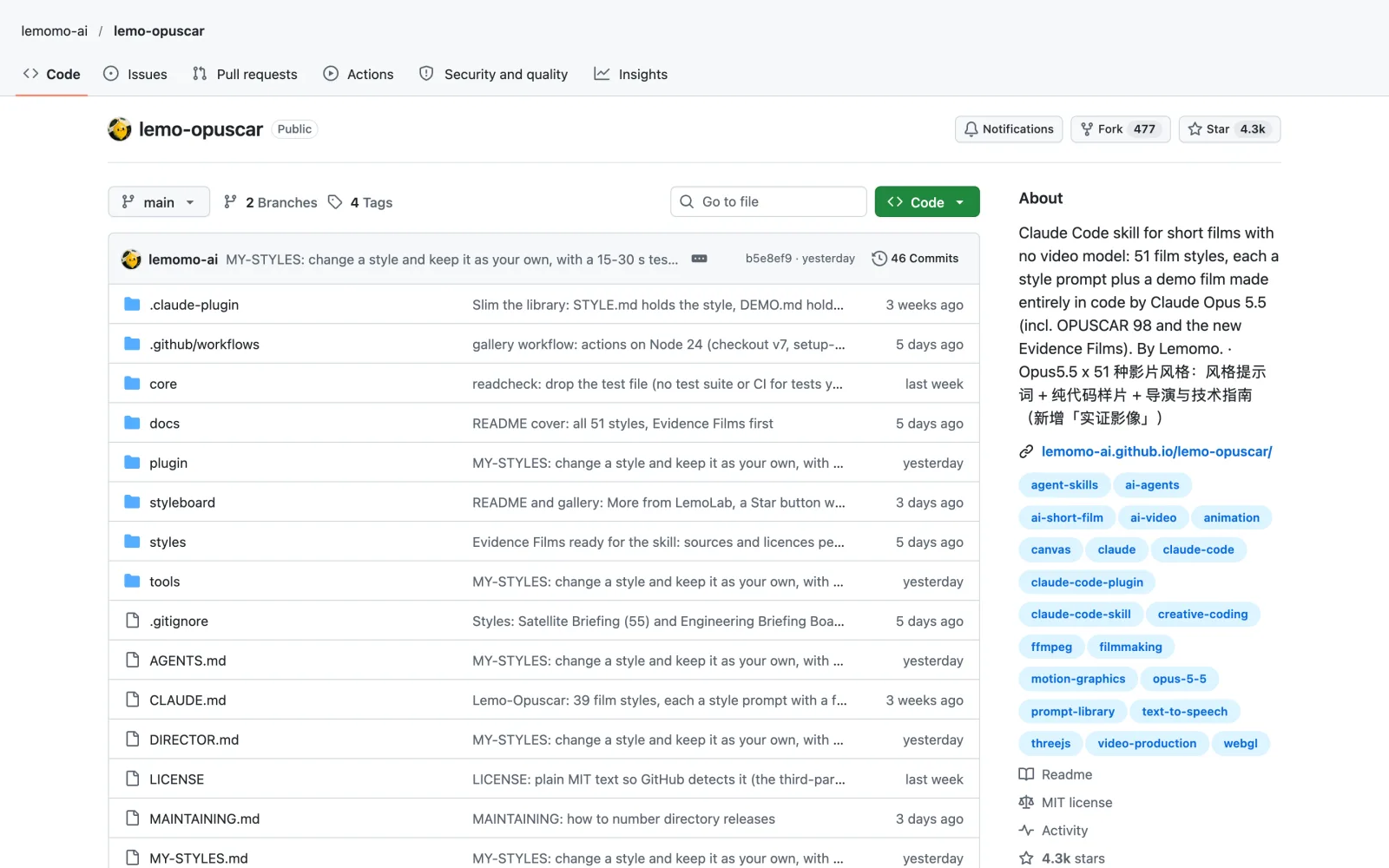
The catch: The styles are tuned for Opus 5.5, and other models may not reproduce them. One film takes an agent about 30 to 60 minutes and a fair amount of tokens. You need Node 20+, ffmpeg and Python 3.11+.
Install it
Easiest: open Claude Code, type Install this skill: and paste github.com/lemomo-ai/lemo-opuscar
claude plugin marketplace add lemomo-ai/lemo-opuscar
claude plugin install lemo-opuscar@lemolabFor thumbnails, titles and research, see my list of Claude Code skills for YouTubers.
How to install these skills
You don’t have to type the commands yourself to start with Claude Code video editing:
- Open Claude Code in the desktop app, the terminal or your code editor.
- Type
Install this skill:and paste the GitHub link from this article. - Claude installs it. If the skill needs tools like ffmpeg or Node, ask Claude to set those up too. Then start a new chat so the skill loads.
- Then describe the video you want, for example “make B-roll for my latest video”.
If you’d rather run the commands yourself, each section above has them.
Frequently asked questions
Can Claude Code edit videos?
Yes. With these skills, Claude Code video editing covers B-roll for your footage (Motion B-roll), full edits of short talking-head clips (SeeCut), and motion graphics or films made from code (Animate, Motionmaxxing, Motion Video Kit, Mortiflix, Lemo Opuscar). Claude writes and renders the video, and several of the skills check the render with scripts or critic agents.
Are these video editing skills free?
All seven are free to install. You still pay for the model you run them on, and a few have extra costs: Motionmaxxing and Animate use ElevenLabs for voice if you want it, and SeeCut needs a Google account for Gemini. SeeCut’s license is noncommercial, so client work needs the author’s permission.
Which skill should I try first?
For Claude Code video editing on your own footage, start with Motion B-roll for clips over your talking head, or SeeCut for vertical Shorts. If you have no footage, Lemo Opuscar and Animate make complete videos from a prompt. For paid client work, Motion Video Kit and Mortiflix add review steps before the client sees anything.
Do I need to know how to code for Claude AI video editing?
No. You install each skill and then describe the video you want in plain English. Some need tools like Node.js, ffmpeg or Playwright on your computer, and Claude can install those for you.
How do I install a Claude Code skill?
Open Claude Code, type “Install this skill:” and paste the GitHub link. Claude installs it, and the skill loads in your next chat. Each section above also shows the exact command.
Final verdict: the best new tools for Claude Code video editing
Pick by what you start with. With your own talking head, use Motion B-roll for clips over long videos and SeeCut for vertical Shorts, as long as the Short isn’t for a paying client. With no footage at all, Lemo Opuscar has the most finished styles, and Animate can match a look from your own reference images. If clients are paying, Motion Video Kit’s critics and Mortiflix’s approval stages catch problems before the client does, and Motionmaxxing’s render checks help with any of them. All seven are free to install, so the main costs are your Claude plan and, for some, an ElevenLabs key.