


Hi, this is Darius, and welcome to my Sansuu Royalty Review.
So, I’ll be straight with you — I’ve tested a lot of AI tools in the publishing space. Most look great on a sales page and fall apart the moment you actually use them. So when I came across Sansuu Royalty, I didn’t get excited. I got curious — and a little skeptical.
But I put it through its paces anyway. I created math workbooks, tested different niches, and checked how the outputs work with real publishing platforms like Amazon KDP. What I found was actually worth writing about.
So here’s my honest, hands-on breakdown of Sansuu Royalty — what it does, what it’s worth, and whether it makes sense for you.
What Is Sansuu Royalty? A Clear Look at This AI Math Workbook Creator
Sansuu Royalty is a cloud-based software that helps you create math workbooks from scratch — without designing pages yourself, writing problems by hand, or fiddling with formatting tools.
Everything runs in your browser. No downloads. No installs. No need to connect external AI tools or APIs. You log in, pick your math topic, and the software does the heavy lifting.
The core idea is simple: give people a fast, focused way to build publish-ready math workbooks so they can actually get products out the door instead of getting stuck in the process.
It’s built for platforms like Amazon KDP, Etsy, and other print-on-demand stores where educational printables and low-content books sell consistently.
Design and Quality: How Well Does Sansuu Royalty Actually Work?
The interface is clean and easy to follow. You don’t need any design experience, and there’s no steep learning curve. That’s a real plus for beginners who just want to get started.
The math problems the tool generates are structured and clear. They follow a logical progression — which matters when you’re making educational content for kids. Sloppy or random problem sets won’t work for that audience.
The interior formatting is built around Amazon KDP’s specs. That means fewer headaches when you go to upload. The tool also auto-generates answer keys and a copyright page, which saves real time.
There’s also a built-in cover creation tool, which is basic but functional. It’s not going to replace a graphic designer, but it works for getting a first product live.
One thing I noticed: the design flexibility is somewhat limited. You can’t fully customize every element, and the templates have a consistent look. That said, for the target audience — kids’ math workbooks — clean and simple is usually better than flashy.
Sansuu Royalty Review: Pricing and Upsells
Front End: Sansuu Royalty — $37
The base plan is a one-time payment of $37. No monthly fees. No ongoing subscription. Here’s what you get:
- Over 60 worksheet templates across 20 math categories
- 100 PDF exports per month
- PNG and PDF download formats
- 11 built-in trim sizes for Amazon KDP
- Auto-generated answer keys for every worksheet
- Auto-generated copyright page
- One-click bulk book creation
- Built-in book cover creator
- Niche keyword research tool
- Full video training and step-by-step case study
- Free traffic training for Amazon KDP, Etsy, and TPT
- Full commercial license for everything you create
For $37, this is a solid starting point. It’s low-risk enough to test the whole model before spending more.
Upsell 1: Moji Royalty + Bulk — $77
This upgrade adds early childhood content on top of the math engine. You get:
- A to Z letter tracing worksheets
- Phonics activity sheets
- Sight word practice pages
- Custom font options
- Unlimited PDF exports (removes the 100/month cap)
- PPTX export format
If you plan to publish frequently or expand into early learning niches, the unlimited exports alone can justify the $77. It opens up more product types and makes bulk creation much more practical.
Upsell 2: Rika Royalty + Bulk — $197
This is the premium tier and adds a full science worksheet library. You get:
- 29 science topics covering life science, earth science, and physical science
- Over 30 activity types
- SVG vector exports
- Priority support
At $197, this is the highest spend point. It makes most sense if you’ve already validated that educational workbooks sell for you and want to expand into a second subject category.
Upsell 3: AI Book Ads — $47
This is a training module focused on Amazon advertising. It covers:
- Amazon ad setup for beginners
- AI-assisted keyword research for ads
- Low-budget ad strategies
- Hands-off optimization techniques
This one matters more than it might seem. The sales page suggests Amazon traffic is basically free — and organic discovery is real — but paid ads are often part of getting early traction. If you’re serious about selling, this training is worth having.
Key Features and How They Help You Publish Faster
AI Math Problem Generation
The core engine generates structured math problems automatically. You pick the type — addition, subtraction, multiplication, division, or mixed sets — and it builds problem sets that flow logically.
This is what saves the most time. Writing 50 original math problems by hand, then formatting them, can take hours. This does it in minutes.
Automatic Answer Keys and Copyright Pages
Every workbook comes with an auto-generated answer key. That’s a detail most beginners forget and then have to go back and add manually.
The copyright page is also generated automatically, which checks off another legal and professional requirement without any extra effort.
KDP-Ready Formatting With 11 Trim Sizes
Amazon KDP has specific requirements for trim sizes and interior formatting. Sansuu Royalty includes 11 built-in trim sizes that match those specs.
So when you export, you’re getting a file that’s ready to upload — not one that needs resizing or reformatting first.
Niche Keyword Research Tool
Knowing what to publish is half the battle. The built-in keyword tool helps you find math niches with actual demand.
This is something most publishing tools skip entirely, so having it built in is genuinely useful — especially for beginners who don’t know where to start.
One-Click Bulk Book Creation
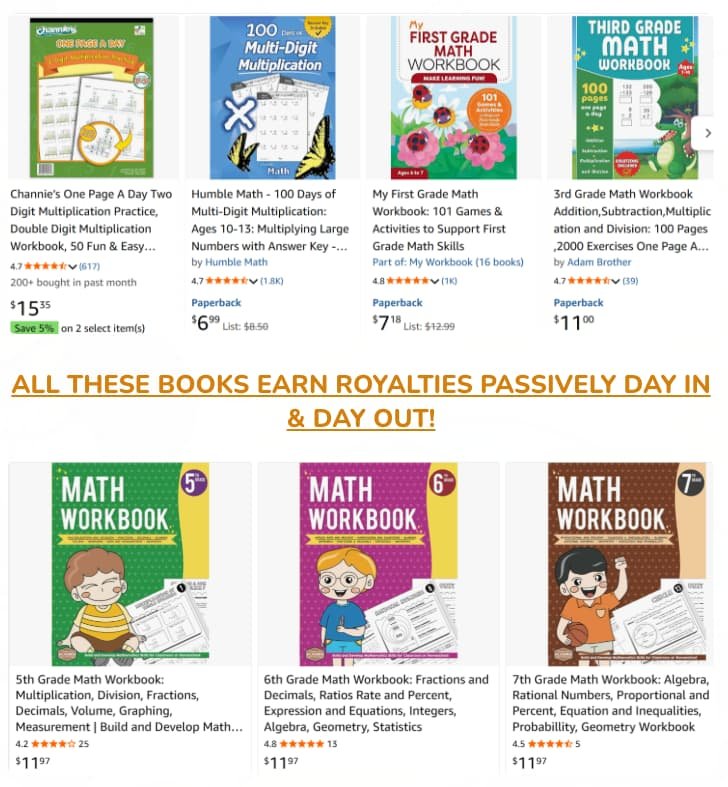
This is what makes scaling possible. Instead of creating one workbook at a time, you can generate multiple books in one session. Building a catalog — not just one product — is what drives consistent passive income on KDP, and this feature makes that realistic.
Sansuu Royalty vs Other AI Publishing Tools: How Does It Stack Up?
Most people building KDP workbooks use a combination of tools: an AI writing tool for content, a worksheet generator, a design tool like Canva or Adobe, and then a formatter for KDP.
That chain works — but it’s slow, expensive (especially with monthly subscriptions), and easy to get stuck in.
Sansuu Royalty replaces that whole chain with a single focused workflow. It’s not as flexible as using separate professional tools, but it’s much faster and far less overwhelming for someone just getting started.
Compared to general AI writing tools, Sansuu Royalty is narrower in scope but more useful for this specific use case.
ChatGPT or similar tools can generate math problems, but they don’t format them, organize them into workbook layouts, or export KDP-ready files. You’d still need to do all that manually.
The one-time payment model also separates it from subscription-based tools. Over a few months, a $37 one-time cost beats $20–$50/month tools easily — especially when you’re still testing whether the model works for you.
Sansuu Royalty Pros and Cons: The Honest Breakdown
Pros
- Beginner-friendly — no design or technical skills needed
- One-time payment with no recurring fees
- Fast workbook creation — 15 to 30 minutes per book once you know the tool
- Built around KDP specs, so exports are upload-ready
- Auto-generates answer keys and copyright pages
- Built-in keyword research saves extra tool costs
- Commercial license included — you own what you make
- Bulk creation makes scaling a real possibility
Cons
- Limited customization — you can’t fully control every design element
- Not built for advanced or high-school level math topics
- Cover creator is basic — you may want a separate tool for premium covers
- The 100 export cap on the base plan can feel restrictive if you publish a lot
- Results depend on your niche choices and consistency — the tool doesn’t sell books for you
What Real Users Are Saying: Genuine Reviews and Experiences
Based on online feedback, the experience among users is fairly consistent. Beginners appreciate how quickly they can go from zero to a finished workbook.
The fact that it handles formatting, answer keys, and KDP sizing automatically comes up repeatedly as a time-saver.
Users who are already familiar with KDP tend to be more measured. They get the value but note that the design flexibility doesn’t match dedicated tools. That said, most agree it’s a solid option for anyone building a catalog of simple educational content.
The most common frustration is around expectations. Some buyers come in expecting instant income, and when that doesn’t happen right away, they feel let down.
The tool works — but publishing still requires consistent effort, smart niche selection, and patience before royalties build up.
Users who approach it as a long-term catalog-building tool, rather than a quick money scheme, report much better outcomes. Those who publish 10 to 20+ workbooks and optimize their listings consistently are the ones seeing steady results.
Tips and Tricks to Get the Most Out of Sansuu Royalty
Start With the Keyword Tool Before Creating Anything
Don’t just pick a topic and start generating. Use the built-in keyword research tool first to find math niches with real demand. A well-targeted workbook in a specific niche will always outperform a generic one.
Focus on Volume, Not Perfection
One workbook won’t generate meaningful royalties. Ten might. Thirty gives you real data. Use the bulk creation feature to build a catalog and let the numbers work in your favor over time.
Write Descriptions That Speak to Parents and Teachers
Your KDP listing description is what converts browsers into buyers. Focus on what the workbook helps the child learn, what grade it’s suitable for, and what makes it easy to use. Clear, specific descriptions perform better than vague ones.
Take the Ad Training Seriously
Organic KDP traffic exists, but it’s slow to build — especially for new books with no reviews. If you pick up the AI Book Ads upsell, use it. Even a small daily budget on Amazon ads can make the difference between zero visibility and early traction.
Upgrade the Cover if You Can
The built-in cover tool gets the job done, but covers matter on Amazon. If you want to stand out, take the exported file and clean it up in Canva. A more polished cover can meaningfully improve click-through rates on your listings.
Frequently Asked Questions About Sansuu Royalty
Do I need any design or technical skills to use this?
No. The software is built so that anyone can use it. You don’t need to know design tools, coding, or publishing platforms to get started. The workflow guides you through each step.
Is there a monthly subscription?
No. The base plan is a one-time payment of $37. There are optional upgrades, but the core tool has no recurring fees. This is one of the stronger selling points compared to subscription-based tools in the same space.
Can I actually make money with this?
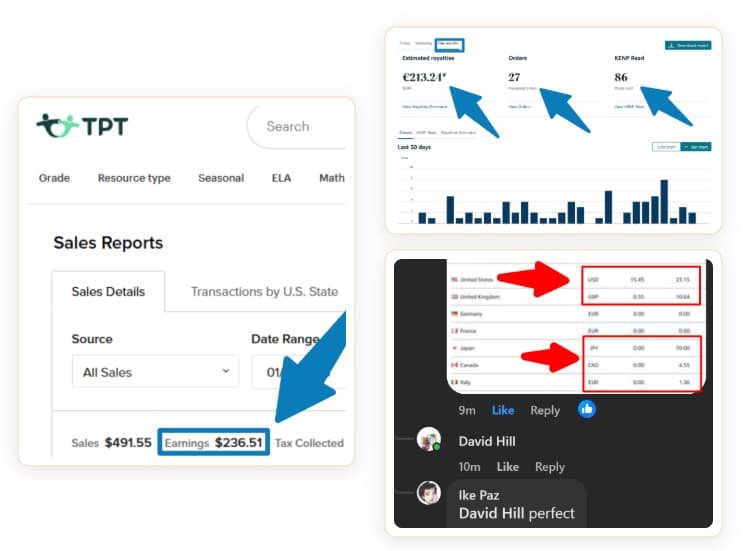
It’s possible, but there are no guarantees. Income depends on the niches you choose, the quality and quantity of what you publish, and how you handle promotion. The tool makes creation faster — but selling still requires strategy and consistency.
What platforms can I publish on?
The tool exports files ready for Amazon KDP. You can also use exports for Etsy digital downloads, TPT (Teachers Pay Teachers), and other print-on-demand platforms. The KDP trim sizes and formatting are built in.
What math topics does it cover?
The base plan covers 20 math categories including basic arithmetic, addition, subtraction, multiplication, division, and mixed problem sets. It’s best suited for elementary-level math. Advanced topics are not part of the core tool.
Do I own the content I create?
Yes. A full commercial license is included. You can sell everything you create — on Amazon, Etsy, TPT, or anywhere else — and keep the revenue.
Final Verdict: Is Sansuu Royalty Worth Your Money?
Sansuu Royalty is a focused, practical tool that does what it promises — it helps you create publish-ready math workbooks faster and with a lot less friction than doing it manually or cobbling together multiple tools.
It’s not magic. It won’t generate income on its own. And it’s not the right pick if you need advanced customization, high-level academic content, or anything beyond structured math workbooks. Those are real limits worth knowing upfront.
But if you’re a beginner who wants a simple, affordable way to start building a publishing catalog — and you’re willing to put in the consistency — this tool removes the biggest barrier: the technical complexity of actually getting a product made and uploaded.
The one-time price is low enough that the risk is minimal. And the workflow, once you’re familiar with it, is fast enough to make catalog-building realistic rather than overwhelming.
My recommendation: if your goal is to publish children’s math workbooks on Amazon KDP or Etsy and you want a tool that handles the hard parts without an ongoing monthly cost, Sansuu Royalty is worth the $37.
Start with the base plan, test your first few workbooks, and decide from there whether the upsells make sense for your goals.