


Most AI video tools give you a moment. A cool five-second clip. A single scene that looks great on its own but goes nowhere.
And if you’re building a YouTube channel, selling video services, or running story-driven ads, a cool clip isn’t enough. You need a story. You need continuity. You need something that holds attention long enough to actually matter.
That’s what Cinemation is trying to fix. And after going through everything it offers — the features, the pricing, the use cases — I think it makes a pretty strong case for itself. So let me break it all down for you.
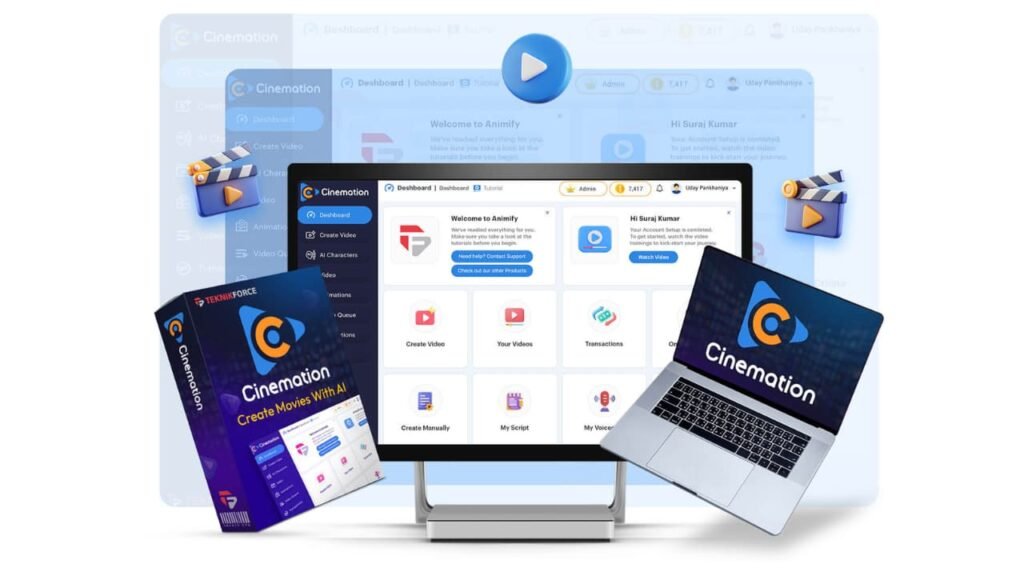
What Is Cinemation? A Closer Look at This AI Video Platform
Cinemation is an AI video production platform. But it’s not just about making videos fast. It’s built around the idea that your characters should stay consistent from scene to scene, your story should actually flow, and your final output should be long enough and polished enough to publish without embarrassment.
You can use it for faceless YouTube channels, short-form content, ad creatives, explainer videos, mini-movies, educational content, and client work. The biggest thing that sets it apart is that it handles sequences — not just snapshots.
Characters remember who they are across scenes. The story connects. That’s rare in AI video right now.
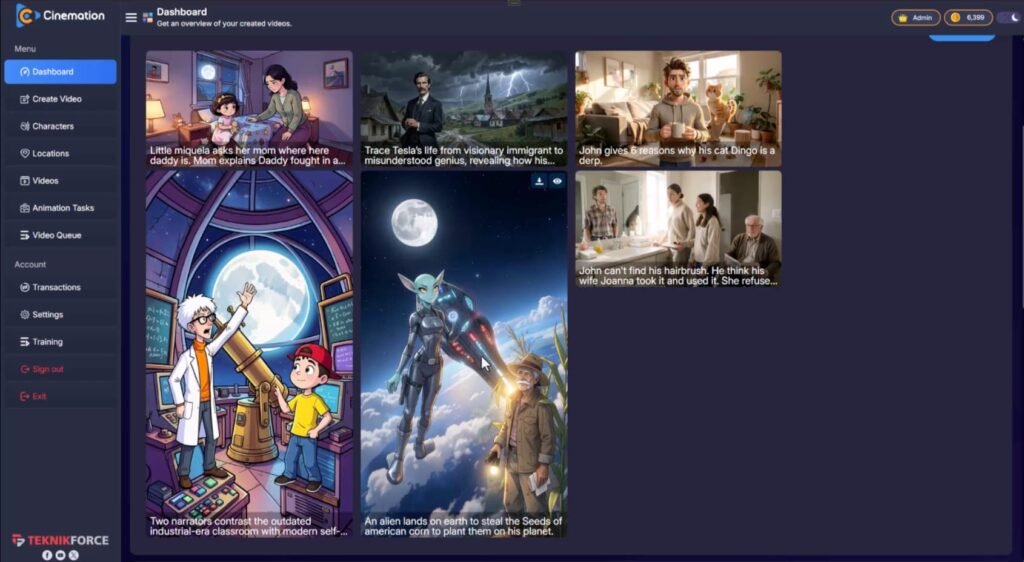
Design and Quality: Does Cinemation Actually Deliver?
How the Interface Works
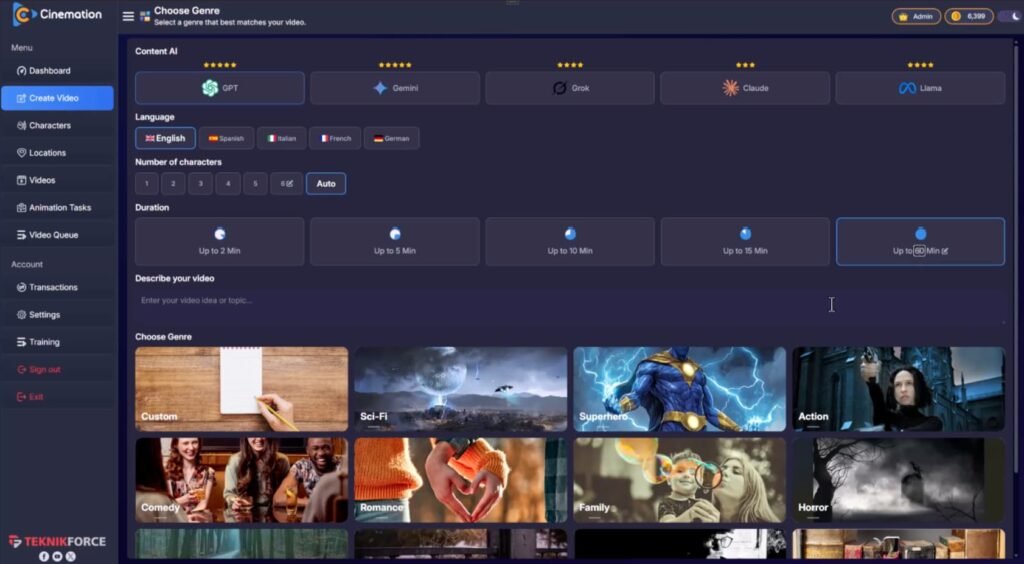
The workflow runs in three steps. First, you set up your concept, pick a style, and define your characters or let the AI build them for you. Second, you build your scenes — and this is where Cinemation does something most tools skip.
Instead of generating random clips, it links scenes together so characters carry through the story. Third, you render and export. Done.
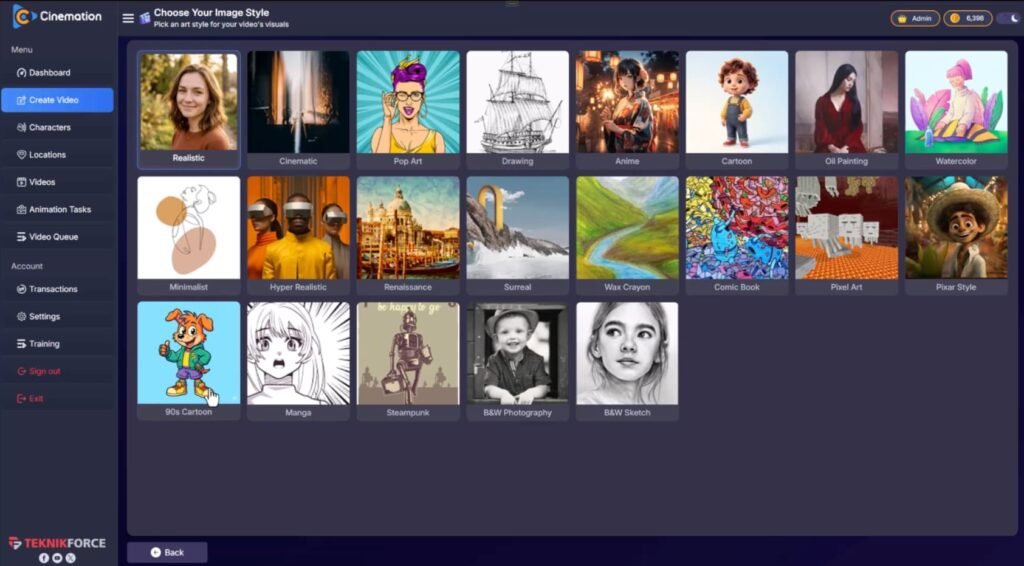
The platform supports multiple visual styles: 2D animation, 3D animation, cinematic looks, and more realistic scenes. So whether you’re building a cartoon-style explainer or a dramatic short film, you’ve got options.
The AI also helps with scripting. You can paste your own script, start with a rough idea, or let it write the dialogue and structure for you.
Production Quality
The output quality depends on the plan you’re on (more on that in a moment), but the core promise holds: you get a video that feels more like content production than clip generation.
Characters talk, interact, and move through environments. Scenes transition. Stories land. That’s a meaningful step up from what most solo creators can put together without a film crew.
Cinemation Review: Demo Video
Pricing Breakdown: What Does Cinemation Actually Cost?
Front-End — Cinemation Elite ($47)
This is the entry point. You get 20,000 credits, videos up to 10 minutes long, 720p exports, and up to 3 videos per day. It’s solid for beginners or solo creators testing the waters. Personal use only at this tier.
OTO1 — Cinemation Pro ($67)
This is where things get more serious. You get 50,000 credits, unlimited videos, up to 30-minute runtimes, HD exports, a commercial license, and two years of upgrades. If you’re publishing regularly or delivering client work, this is the upgrade that makes the tool actually viable for business.
OTO2 — Cinemation Reseller ($197)
This one’s for marketers who want to sell Cinemation accounts as their own offer. You get 70 reseller licenses, keep 100% of profits, and don’t need to deal with technical setup. It’s a ready-to-sell software business if that’s the direction you want to go.
OTO3 — TubeRankJeet Pro ($67)
This adds YouTube SEO tools — AI keyword research, unlimited video optimization, and channel-level support. If distribution and discovery matter to you (and they should), this pairs well with everything else.
OTO4 — Freezur Pro ($67)
More output volume, 45-minute videos, all AIs unlocked, ElevenLabs voice integration, image-to-video support, clip-on-clip creation, and 50,000 welcome credits. This is the heavy-volume option for creators who need to move fast.
The All-Inclusive Bundle ($237)
If you want everything — Cinemation Elite, Pro, Reseller, TubeRankJeet Pro, Freezur Pro, plus tutorials and bonuses — the bundle is the smartest buy. It bundles all the upgrades at a lower combined price and gives you the full commercial production path from day one.
My Custom Bonuses
All these bonuses are available only if you get this product through my link or buttons on this page. Your download link with my bonuses will be delivered to your JVZoo account after purchase.
Bonus 1: Free GPT Store Exposed Account
Gpt Store – Exposed is a game-changing system that lets you create money-making AI tools in seconds, without selling anything.
Rank on Google instantly, generate income effortlessly, and dominate any niche with minimal effort.
It’s your chance to join a revolutionary opportunity and achieve financial freedom. Don’t miss out—get started now!
Bonus 2: Free Anonymous AI Account
$102,016.16 in 27 Days Case Study with Anonymous AI!
Unlock effortless money with the power of Anonymous AI—no products, followers, or skills needed. This all-in-one system brings you traffic and sales on demand, completely anonymously.
Get in on the ground floor of this game-changing opportunity and start making money today. Timing is everything—don’t miss your chance to crush it with Anonymous AI in 2025!
Bonus 3: Free AInfluencer
Unlock massive online success with AInfluencer! Create anonymous AI influencers in any niche, without showing your face or creating products.
Gain millions of followers and make money effortlessly 24/7. This is your chance to ride the wave of AI-driven digital influencers—don’t miss out!
Bonus 4: Free Recurring AI Account
Want hands-off, recurring income? With Recurring AI, you can earn money effortlessly by selling simple products like text files or access to exclusive groups.
No website, skills, or upfront costs needed—AI handles everything for you. Start making passive income today and live the lifestyle you’ve dreamed of!
Bonus 5: Free AI Agents Exposed Account

AI Agents Exposed lets you use powerful AI to earn money 24/7 with no skills needed.
These AI agents handle tasks like building websites, managing social media, and creating content, allowing you to focus on growing your business and making passive income.
It’s simple, efficient, and offers huge potential. Get in early on this game-changing technology and start profiting today!
Bonus 6: Free Instant Cash Dash Account
Skip the fluff and get REAL results with Instant Cash Dash. In just 5 minutes a day, you’ll make money with proven methods. No skills, no time, no money?
We’ve solved it all for you. Start earning $5, $10, $20, or more daily—just follow the system. The only way you fail is by not taking action.
Bonus 7: Free Skooolify Account
Skooolify – Earn from Skool without owning one! Drive free traffic, earn recurring commissions, and get paid to refer people to Skool—all with zero upfront costs.
Bonus 8: Free Slide Cash Loophole Account

The Slide Cash Loophole is a beginner-friendly system that uses simple slides to drive free traffic in minutes.
No website, following, or paid ads required—sell affiliate products, services, or anything online effortlessly. Perfect for generating passive income or boosting sales fast!
Bonus 9: Free Niche Profit Secrets Account
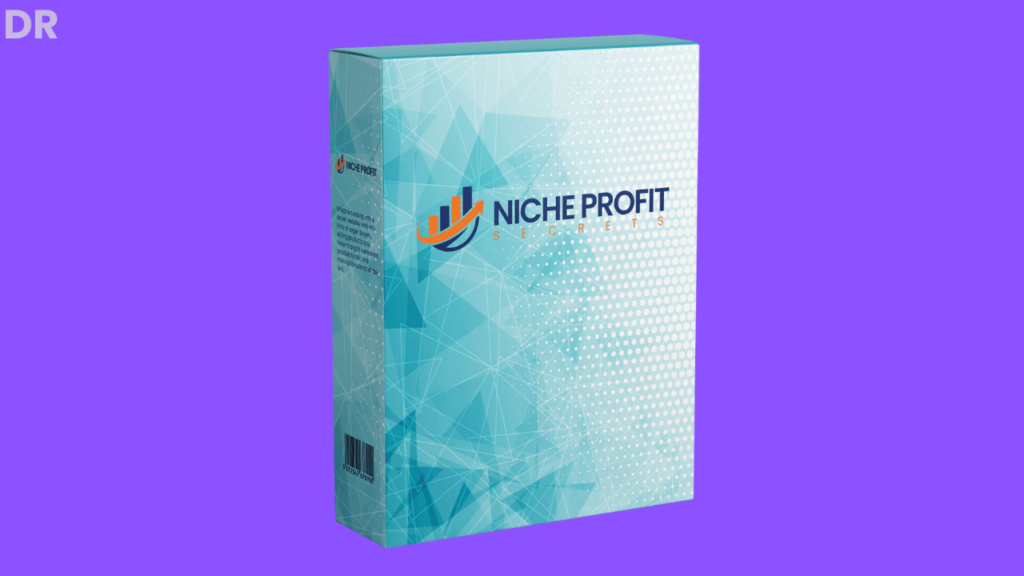
Earn big in any niche by selling digital products on a secret platform. This proven system has helped many make six figures, with no special skills, website, or large following needed.
Create and sell simple products that solve real problems and build a profitable online business.
Plus all the vendor bonuses. Most affiliates offer vendor bonuses as their own, whereas I go beyond to create and offer you only custom-made bonuses.
Remember, these are free even if you get only the front end offer! Instantly delivered to your members area.
Key Features and What They Actually Do for You
Consistent AI Characters
This is the feature that matters most. If your characters look different every scene, your audience won’t connect. Cinemation keeps characters visually aligned across multiple scenes and longer videos.
That makes it useful for serial content, narrative ads, training material, and brand storytelling in ways that clip-based tools simply can’t match.
Long-Form Video Creation
The platform is built for longer outputs — not just short bursts. That means tutorials, episodes, mini-movies, and full explainer sequences are all on the table. For YouTube creators especially, this is a big deal.
AI Script and Story Generator
You don’t need to start with a finished script. You can drop in an idea, a concept, or a rough outline, and the AI helps build structure, dialogue, and scene flow. That speeds up production a lot, especially when you’re working across multiple content formats.
Multiple Visual Styles
2D, 3D, cinematic, realistic — you can shift between styles depending on the niche and tone you’re going after. That flexibility means you’re not locked into one look. A finance channel and a gaming channel can both use this tool and produce something that fits their audience.
Social Media Content Creation
Videos can be adapted for YouTube, TikTok, Instagram, and other platforms. So one production cycle can feed multiple channels, which is exactly what you want when you’re trying to scale without tripling your workload.
No Filming Required
No cameras. No actors. No editing stack. For solo operators, this is one of the most practical things about the platform. You can build a content business around it without needing a production team.
How Cinemation Compares to Similar Tools
Tools like Runway and Pika are excellent at generating short, visually impressive clips. But they’re not built for storytelling at scale. They don’t maintain character consistency across scenes or help you write a connected narrative.
Synthesia is closer in the sense that it supports AI characters and talking heads, but it’s priced for enterprise use and leans toward corporate training content.
InVideo and Pictory are strong for repurposing text into video, but they rely on stock footage and don’t generate original characters or custom scenes.
Cinemation sits in a different lane. It’s built for creators who want original characters, original story, and original scenes — all in one workflow, at a price point that’s accessible to solo operators and small teams.
Pros and Cons
What I like:
- Character continuity across scenes is genuinely useful and rare at this price
- Long-form video output opens doors that clip tools don’t
- Multiple visual styles give you flexibility across niches
- The reseller and commercial license options make it a real business tool
- AI scripting reduces the time it takes to go from idea to finished content
- No filming or technical production stack required
What to keep in mind:
- Output quality is tied to the plan tier — the front-end alone may feel limited for serious production
- Like all AI video tools, results can vary based on how specific and clear your input is
- You’ll still need a content strategy; the tool handles production, not planning
What Real Users Are Saying
Early users highlight the character consistency as the feature that surprised them most. Creators who’ve tried other AI tools said they kept running into the problem of characters looking completely different from one clip to the next.
Cinemation’s approach to maintaining visual alignment across scenes was something they hadn’t seen work this well before.
Freelancers and service providers are responding to the commercial license options and the reseller path. The ability to package and sell AI video creation as a service — without rebuilding a production workflow from scratch for every client — is a strong draw for that audience.
Some users noted that getting the best results takes a bit of learning. The clearer and more detailed your prompts and scripts, the better the output. That’s true of most AI tools, but it’s worth knowing going in.
Tips and Tricks to Get the Most Out of Cinemation
Write a clear character brief before you start. The more detail you give the AI about how your characters look, speak, and behave, the more consistent the output will be across scenes.
Plan your scenes before you build them. Treat it like a real production: know your story beats, your dialogue moments, and your transitions before you start generating. This makes the editing stage much faster.
Use the script generator as a starting point, not a final draft. Let the AI handle structure and dialogue, then go in and tighten the language to match your brand voice.
Batch your production. If you’re running a channel, set up a workflow where you produce multiple videos in one session. The reusable character and style settings save a lot of time when you’re working at volume.
Test different visual styles early. Before committing to a niche content direction, try a few different style options to see which one resonates with the audience you’re building for.
Frequently Asked Questions
Do I need video editing experience to use Cinemation? No. The platform is built for people without a traditional production background. If you can describe what you want, the AI handles the rest.
Can I use the videos commercially? The front-end is personal use only. The Pro upgrade and Reseller tier include commercial rights, so if you’re delivering client work or monetizing a channel, those upgrades are worth the cost.
How long can the videos be? The front-end supports up to 10 minutes. Pro goes up to 30 minutes. Freezur Pro extends that to 45 minutes.
Do I need to write a script? No. You can start with a rough idea and let the AI build the script and story structure. But if you have a script ready, you can use that too.
Is there a credit limit? Yes, depending on your plan. The front-end includes 20,000 credits. Higher tiers add more, and some include unlimited videos.
Can the characters talk and interact? Yes. Dialogue-driven scenes are one of the core functions. Characters can speak, move, and interact with each other across connected scenes.
Final Verdict: Who Should Buy Cinemation?
Cinemation does something most AI video tools skip: it thinks in stories, not just clips. The character consistency, long-form output, script support, and multi-scene workflow make it a genuinely useful tool for creators and marketers who want to build publishable content at scale — without a film crew, a studio, or a complex editing setup.
The all-inclusive bundle at $237 is the smart buy if you’re serious about using this for business. If you’re just testing the concept, the $47 front-end gets you started. And if you want to sell video creation as a service, the reseller path makes that a real option.
The one thing Cinemation can’t do for you is decide what to say. You still need a content plan, a target audience, and a reason for people to care. But if you’ve got the strategy, this tool can handle a lot of the production work that used to require a whole team.
For faceless channel creators, content agencies, video service providers, and marketers who need story-driven ads — this one is worth a close look.