


Hi, this is Darius, and welcome to my InstantlyClaw review.
So, most AI tools feel the same. I type something, get an answer, then repeat. It works, but I still do most of the work. I guide every step, fix outputs, and connect different tools just to get one final result.
That becomes a problem when I want real outcomes, not just ideas. Whether it’s writing content, doing research, or handling client work, I still need time and effort.
InstantlyClaw tries to fix that.
Instead of acting like a chatbot, it works like an AI agent. I give it one instruction, and it plans, researches, executes, and delivers a full result. That shift changes how I use AI. I’m no longer stuck doing every step.
In this review, I’ll break down what InstantlyClaw does, how it works, and whether it actually helps in real use.
What Is InstantlyClaw? A Simple Breakdown
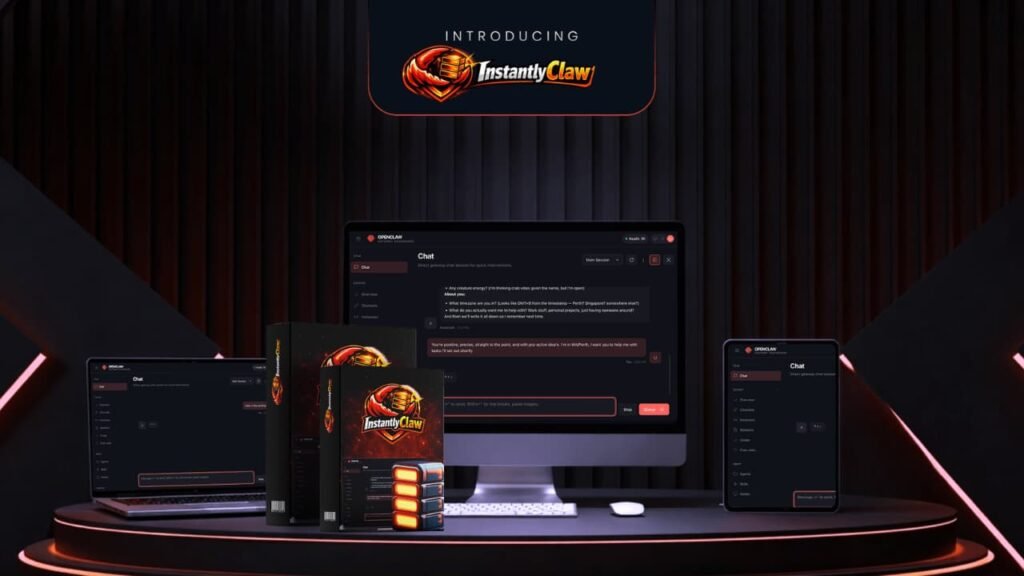
InstantlyClaw is a cloud-based AI agent system built on top of OpenClaw. OpenClaw is powerful, but it’s hard to set up. It needs coding, servers, and technical steps that most people don’t want to deal with.
InstantlyClaw removes that barrier. I get a ready-to-use system that runs in the cloud. No setup. No coding. No extra tools. I can launch it in about a minute.
What makes it different is the “AI team” setup. Instead of one tool, I get multiple agents working together. There’s a structure with managers and workers. Each agent has a role like research, writing, or data analysis.
So instead of asking one AI to do everything, the system splits tasks and handles them step by step. That makes it feel less like a tool and more like a small team working for me.
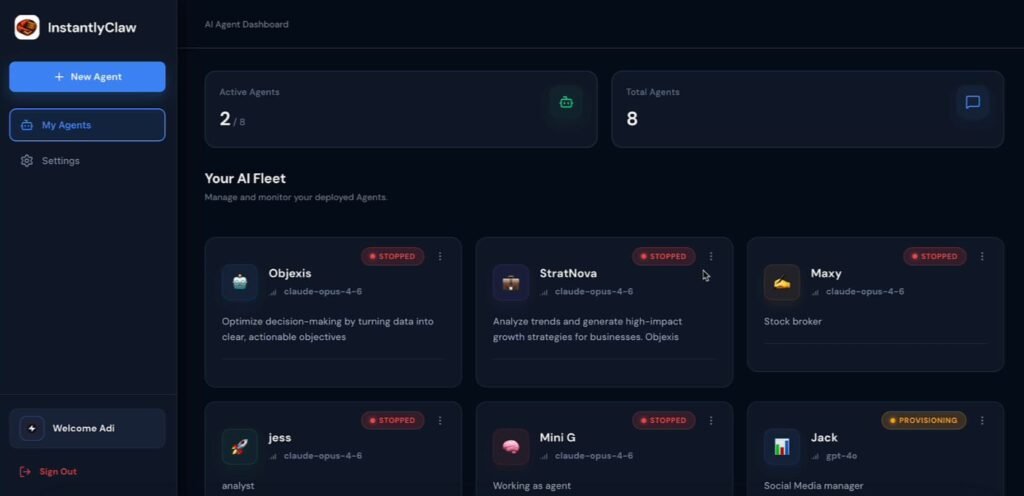
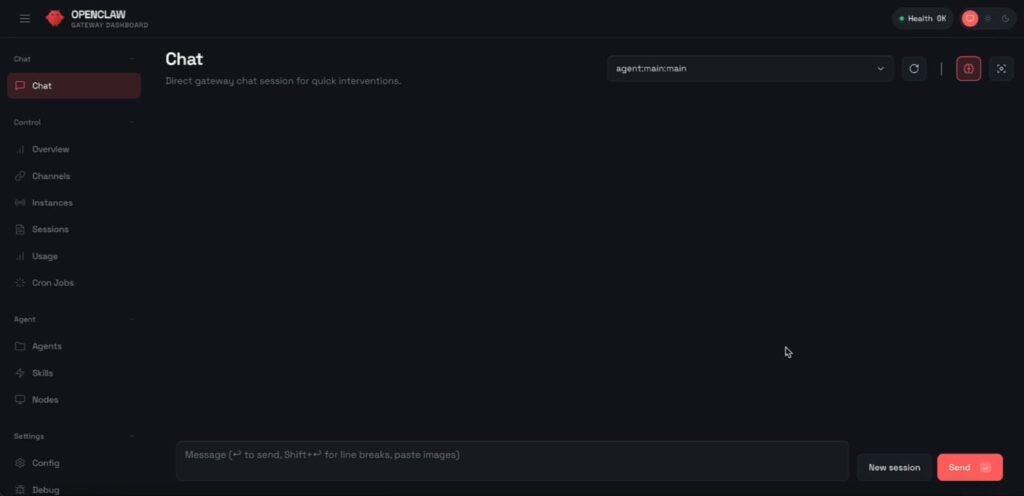
Now, the first thing I noticed was how simple everything felt. The dashboard is clean. I can see my agents, tasks, and settings without confusion. I don’t need to watch hours of training just to understand where things are.
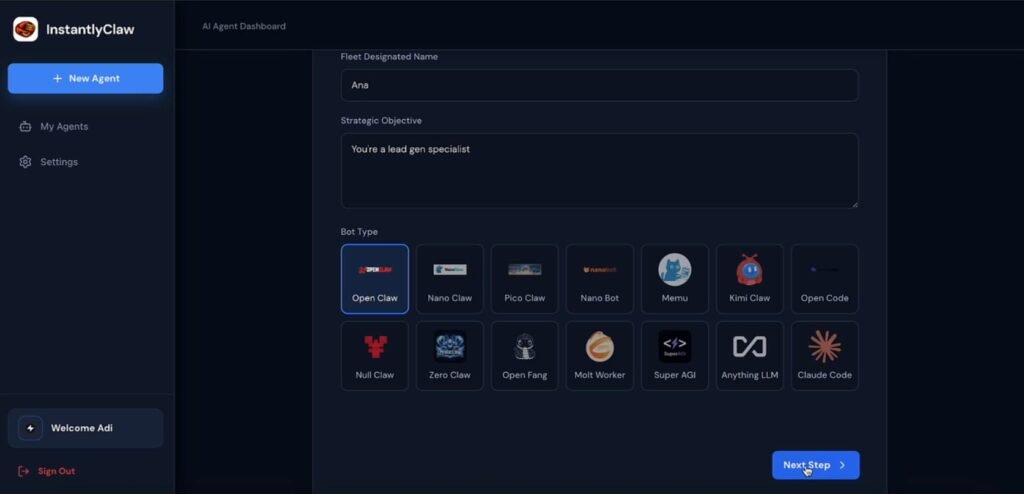
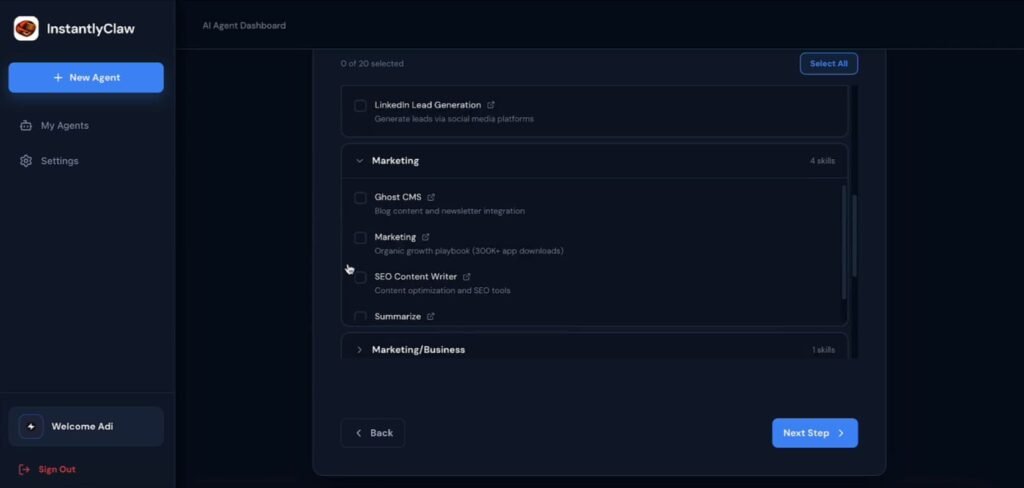
Creating an agent is straightforward. I just enter a name, define the goal, choose skills, and launch it. Within seconds, it’s ready.
The cloud setup is another big plus. Everything runs online, so my computer stays safe. I don’t worry about files or system access. The isolated container adds another layer of safety.
There’s also a “confirm before action” feature. If the system wants to send emails or post something, it asks first. That gives me control.
Overall, the design focuses on ease of use. It feels built for people who want results, not technical setup.
InstantlyClaw Review: Demo Video
InstantlyClaw Pricing – What You Pay and What You Get
Let’s keep this simple. InstantlyClaw is not a monthly tool at the start. You can get in with a one-time payment, then decide if you want more power later.
Here’s how the pricing is structured and what each option gives you.
InstantlyClaw Front-End Price – $37 One-Time
This is the base version, and honestly, it already gives you a lot. For $37, I get a full working system, not just a basic tool. Here’s what’s included:
- Hosted OpenClaw system (12 months included)
- 9 pre-built AI agents with full structure
- 15 ready-to-use skills (SEO, Gmail, Docs, automation, and more)
- 2 months of AI credits (no API setup needed)
- Commercial rights to sell what I create
- Access through Telegram, WhatsApp, Discord, Slack, and dashboard
- Quick-start training videos
- Private community access
This is enough to get started, test the system, and even do client work. If you just want a simple setup without spending much, this is a solid entry point.
InstantlyClaw Bundle – $267 Per Year
This is where things scale up. The bundle includes everything from the front-end plus upgrades except OTO1. So instead of buying each add-on separately, I get the full system in one package.
Here’s what stands out:
- All features unlocked with no limits
- 12 months of AI credits (instead of 2 months)
- Priority servers for better performance
- VIP setup help (they guide you step by step)
- Founding member perks
There’s also a $50 discount with the code “INSTANT”, which lowers the cost to $267. From what I see, this option is built for users who want to go all in and actually use this for business.
MegaBundle – $77 to $97 (Add-On)
This is an extra offer you can add on top of the bundle. It focuses more on training and done-for-you resources. Here’s what I get:
- 4 live VIP training calls
- Private VIP group
- 500+ ready prompts
- Done-for-you client onboarding system
- Access to future tools and priority support
This is useful if I want guidance and ready systems instead of figuring things out alone.
OTO 1: DFY Niche Business Packs – $197
This upgrade turns the AI into niche experts. I get:
- 10 ready-made business setups (real estate, SaaS, local services, etc.)
- Pre-built workflows and automations
- 12 months of AI credits
This saves a lot of time. Instead of building systems myself, I just pick a niche and start.
OTO 2: Automation Vault – $67
This one focuses on automation. I get:
- 25 done-for-you workflows
- Covers research, content, lead gen, and client work
- Includes pricing guides to sell services
This is useful if I want the AI to run tasks in the background.
OTO 3: Unlimited – $67 Per Year
This removes limits from the base plan. I get:
- Unlimited agents
- Unlimited messages
- Unlimited channels
- Extra workflow templates
If I plan to scale or handle more work, this becomes necessary.
OTO 4: Agency / Enterprise – $197
This is for building a business. I get:
- Ability to manage up to 25 clients
- White-label dashboard
- Done-for-you agency website
- Client onboarding system
- Pricing guides and proposal templates
This makes it easier to sell services and look professional.
OTO 5: Lifetime Skills + Updates – $97
This is more of a long-term upgrade. I get:
- New skills added every month
- Lifetime hosting (no renewal after year one)
- Priority support
- Early access to new features
If I plan to use InstantlyClaw long-term, this saves money over time.
InstantlyClaw Bonuses – What Extra Value You Get
One thing I always look at is the bonuses. Sometimes they’re just filler. But here, the bonuses actually focus on one thing—helping you make money with the tool. Here’s what you get and how each bonus helps.
BONUS #1: AI Agent Profits Bootcamp ($297 Value)
This is a full training course from Abhi Dwivedi. It shows how to turn InstantlyClaw into something you can actually sell. Inside, I get:
- How to give instructions that produce client-ready work
- How to adjust agents for different niches
- How to set up automations that run on their own
- How to price services ($200 to $750 per job)
- How to land my first client
What I like here is the focus on real use. It’s not a theory. It shows how to go from using the tool to making money with it. If you’re new to AI services, this bonus alone can save a lot of trial and error.
BONUS #2: 10 Ready-Made Business Prompt Packs ($197 Value)
This bonus gives me done-for-you prompts for 10 niches:
- Local marketing
- E-commerce
- Real estate
- Coaching
- Health
- Legal
- Restaurants
- SaaS
- Affiliate marketing
- Freelancing
Each niche comes with:
- 20+ tested prompts
- Sample deliverables
- Suggested pricing
So instead of guessing what to ask the AI, I can load a pack and start working right away. This is a big time-saver, especially if I want fast results.
BONUS #3: Commercial Rights Certificate ($97 Value)
This might sound simple, but it’s useful. I get a certificate that proves I can sell what InstantlyClaw creates. I can:
- Show it to clients
- Add it to proposals
- Use it to build trust
It removes doubt when working with clients. I don’t have to explain or justify anything.
BONUS #4: Private Community Access ($97 Value)
This gives access to a group of other users. Inside, people share:
- Use cases that actually work
- Prompt ideas
- Client strategies
- Results and feedback
If I get stuck, I can ask questions. If I want ideas, I can see what others are doing. From experience, communities like this can speed things up a lot.
BONUS #5: “First Client in 7 Days” Blueprint ($97 Value)
This is a step-by-step guide in PDF format. It shows exactly how to get a paying client fast. It covers:
- Which niches to target
- How to pitch services
- What to charge
- How to deliver using InstantlyClaw
This is very direct. No fluff. Just a clear path from buying the tool to making money.
All these bonuses are free, part of your purchase, even if you only get the front-end offer.
Key Features of InstantlyClaw and How They Help You
9-Agent AI Team Structure
This is one of the strongest features. Instead of one AI, I get a full team:
- Marketing Manager
- Operations Manager
- Customer Success Manager
- Content Writer
- Ad Analyst
- Data Analyst
- Research Scout
- Support Agent
- Review Manager
Each agent has a role. They work together and share info. This means I can give one task, and the system splits the work. It saves time and improves output quality.
15 Built-In Skills Ready to Use
InstantlyClaw comes with tools already installed:
- Web browsing
- SEO research
- Gmail and Google tools
- File management
- OCR and screenshots
- Scheduling tasks
- Social media tracking
- PDF creation
I don’t need to connect anything. Everything works from the start. That saves hours of setup and lets me focus on actual work.
Autonomous Task Execution
This is where InstantlyClaw stands out. I give one instruction. The system:
- Plans the task
- Breaks it into steps
- Assigns agents
- Executes each step
- Delivers the final result
I don’t need to guide every move. This is useful for content creation, research reports, and lead generation. It feels like delegating work instead of doing it myself.
Persistent Memory System
The system remembers past tasks, client details, and preferences. So I don’t need to repeat instructions every time. Over time, the results improve because the system learns from previous work.
1-Click Cloud Deployment
Setup is simple. I click one button, and everything runs on secure servers. No coding, no hosting setup, no technical steps. This makes it beginner-friendly.
Built-In Security and Control
InstantlyClaw runs in a secure environment.
- No access to my personal files
- No direct system control
- Approval required for actions
This reduces risk and gives peace of mind.
Messaging Integrations
I can use InstantlyClaw through:
- Telegram
- Discord
This makes it easy to manage tasks without logging into a dashboard every time.
Commercial Rights Included
Anything the system creates is mine. I can sell content, reports, and services without limits. This is useful if I want to build a freelance or agency business.
InstantlyClaw vs Other AI Tools – What Makes It Different
Most AI tools fall into two groups. First, there are chat-based tools like ChatGPT. They respond to prompts but don’t complete full workflows.
Second, there are technical AI agent tools like OpenClaw. They are powerful but hard to set up. InstantlyClaw sits in the middle.
Compared to OpenClaw:
- Easier to use
- No setup required
- Ready from day one
Compared to general AI tools:
- Handles full tasks
- Executes workflows
- Works more independently
Compared to other hosted tools:
- Comes pre-configured
- Includes agents and skills
- Doesn’t start empty
So the main difference is readiness. I don’t build the system. I use it right away.
Pros and Cons of InstantlyClaw
Pros
- Very easy to start
- No technical skills needed
- Full AI team setup included
- Saves time on repetitive tasks
- Works for multiple use cases
- Secure cloud environment
- Commercial rights included
- Affordable one-time price
Cons
- Still needs review and guidance
- Output quality depends on instructions
- Advanced users may want more control
- Some features require upgrades
Real User Experience and Feedback
From what I’ve seen in reviews and user feedback, most people focus on ease of use. Beginners like how fast they can start. No setup, no confusion.
Freelancers and marketers like the time savings. They can handle more work without hiring extra help.
Some users mention that it doesn’t replace human work fully. You still need to review outputs. But it reduces effort.
A common theme is this: it works best as a support tool, not a full replacement.That matches my experience.
Tips to Get the Best Results with InstantlyClaw
If you want better output, follow these tips:
- Be clear with your instructions
- Break large tasks into smaller goals
- Use the right skills for each task
- Review and refine outputs
- Save useful workflows for reuse
Also, don’t expect perfect results on the first try. Like any AI, it improves with better input.
Final Verdict – Is InstantlyClaw Worth It?
After testing InstantlyClaw, I see it as a strong productivity tool. It doesn’t replace human work completely, but it reduces the workload a lot. I can handle more tasks in less time, which matters if I’m working solo or managing clients.
The biggest strength is how easy it is to start. No setup, no confusion, no wasted time. That alone makes it useful for beginners.
There are limits. I still need to review outputs. And for complex tasks, I need to guide it. But for everyday work like content, research, and simple automation, it does the job well.
Who Should Use InstantlyClaw?
- Beginners who want to start with AI
- Freelancers who want to work faster
- Marketers handling content and leads
- Agency owners scaling client work
- Anyone who wants less manual effort
Who Should Skip It?
- Developers who want full control
- Users expecting perfect results without input
- People who need deep customization
Final Recommendation
If you want a ready-to-use AI system that actually helps you get work done, InstantlyClaw is worth trying. It saves time, reduces effort, and gives you a structured way to use AI for real tasks.
Frequently Asked Questions (FAQ)
Is InstantlyClaw beginner-friendly?
Yes. I didn’t need any coding or setup. Everything was ready to use.
Do I need API keys?
No. It includes 2 months of credits. I can add my own later if needed.
Can it replace freelancers?
Not fully. It helps with tasks, but I still review and guide the results.
What can I use it for?
Content creation, research, lead generation, and basic client work.
Is it safe to use?
Yes. It runs in a secure cloud system and requires approval for actions.
Is there a refund policy?
Yes. There’s a 30-day money-back guarantee.