


Hi, this is Darius, and welcome to my XsoraAI review.
I make a lot of short videos for social posts, ads, and quick promos. The hard part is not “making a video.” It is the pile of little tasks: idea, script, visuals, captions, voice, music, and the right size for each app.
If I do it the old way, I either learn a full editor, pay a freelancer, or lose hours on tiny edits.
XsoraAI aims to remove that grind. I type one idea, pick a style, and the app builds a short video. It creates scenes, adds captions, matches a voiceover, drops in music, and adds simple transitions.
It also supports many styles and languages, so I can make content for different niches and markets.
If you want fast, post-ready shorts for TikTok, Instagram Reels, YouTube Shorts, and video ads, XsoraAI is built for that job. It is a speed tool, not a pro film suite.
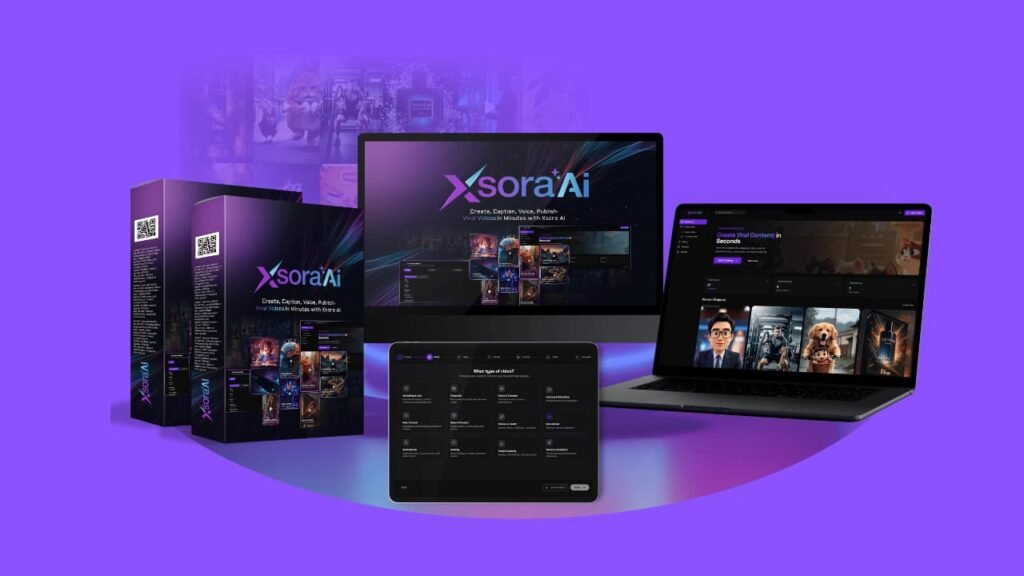
What Exactly Is XsoraAI?
XsoraAI is an AI video maker that turns text ideas into short-form videos. You start with an idea like “3 easy meal prep tips” or “Top 5 gym mistakes.” Then the tool builds a clip with scenes, visuals, captions, a voice, music, and basic motion.
A hands-on review describes it as a cloud tool that converts text prompts into platform-ready short videos, with scenes, captions, voice, music, and transitions handled inside the app.
Who XsoraAI Fits Best
- Faceless creators who do not want to record a face.
- Affiliate marketers who need a lot of short clips to test offers.
- Freelancers and small agencies who sell shorts and need speed.
- Busy founders who want to stay visible without learning editing.
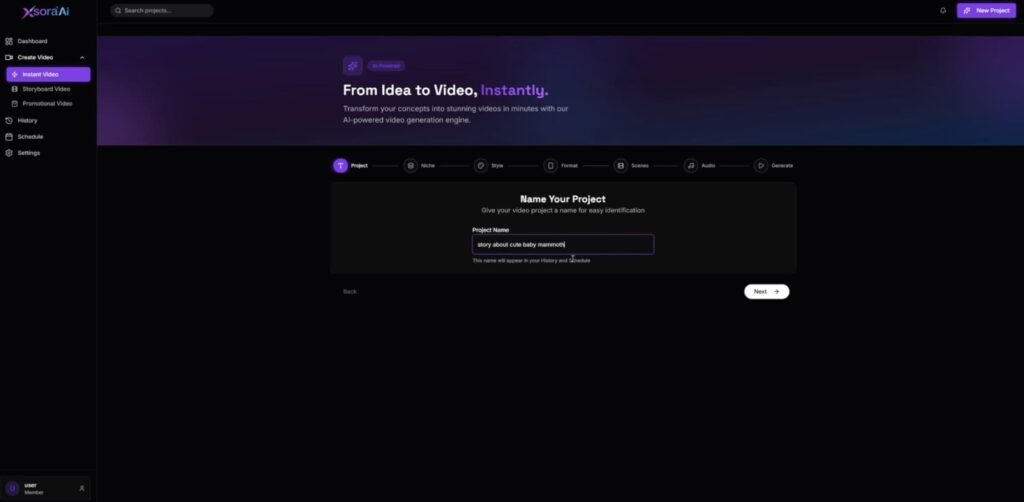
XsoraAI runs in a browser, so I can work from any laptop. The flow is simple: enter an idea, pick a style, pick voice and language, then generate. I do not have to learn timelines, keyframes, or layers.
The output is made for short feeds. The pacing is quick. The captions are easy to read. The voice is clear. Still, there are limits:
- Some visuals can feel stock-like if my prompt is vague.
- The music choices are safe. They work, but they may not match every brand.
My rule: use XsoraAI for speed and volume. Add a light polish pass only when a clip is a top performer.
XsoraAI Review: Demo Video
XsoraAI is sold in tiers, so you can start cheap, then upgrade only if you need more video length, speed, or client features. The big choice is Own API vs Credit System on the Starter and Pro plans.
XsoraAI Pricing and Upsells
XsoraAI Starter Pricing (Front End)
XoraAI Starter: $17 (Own API) or $27 (Credit System)
This is the entry plan made for beginners who want quick 10–30 second shorts without filming or editing. It’s built for TikTok, Reels, Shorts, and simple video ads.
What you get in Starter:
- Make 10–30 sec short videos
- AI scene creation
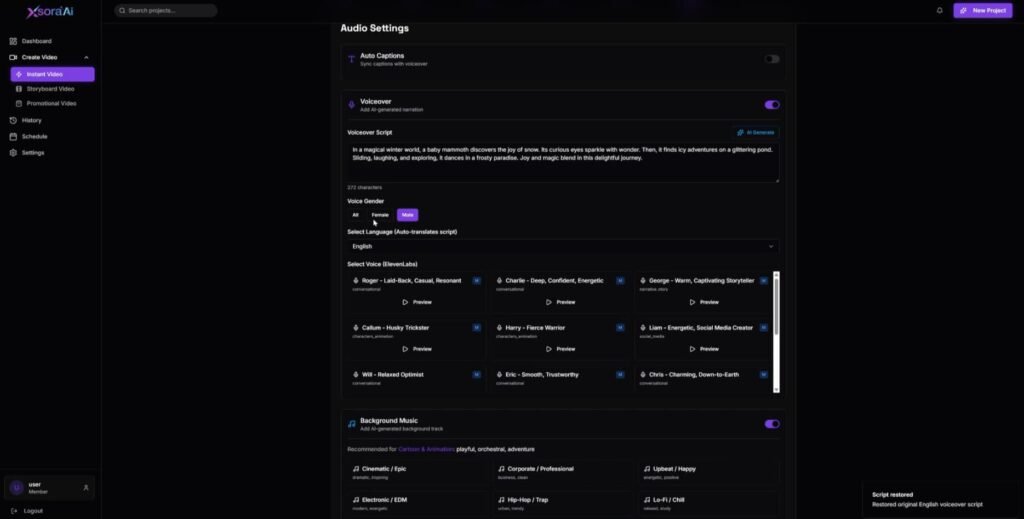
- Auto captions + voice sync
- Transitions + background music
- 21 AI voices
- 29 languages
- 20+ niches
- Auto-publish to 12 platforms
- Content calendar with 10 scheduled posts
- Commercial rights included
If you pick the Credit System: you get 2,000 credits included (they note a 10s video = 400 credits).
Coupon: Use XORA for the max discount.
Upsell 1: XsoraAI Pro Elite Pricing
Pro Elite: $37 (Own API) or $67 (Credit System)
This is the “most people should consider it” upgrade if you’re doing marketing, affiliate clips, or client work. It removes limits, adds formats, and makes output look more pro.
What Pro Elite adds:
- Video Ads Generator with AI talking-head videos
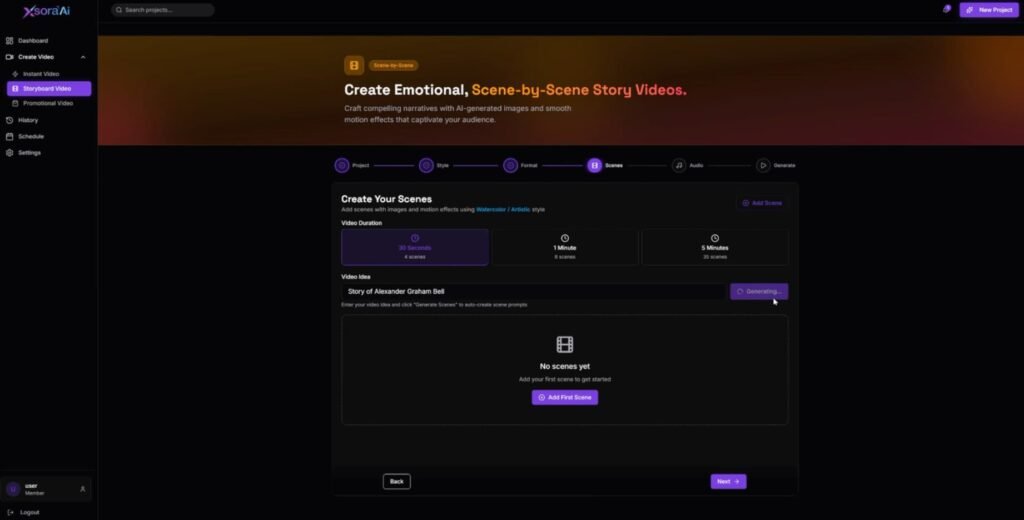
- Storyboard video creation
- Videos up to 1 minute
- 42 premium voices (cinematic + emotional styles)
- Priority rendering (up to 10x faster)
- Unlimited content calendar
- Remove XsoraAI branding
- Full commercial license for client selling
- 10,000 credits included if you choose the credit option
Upsell 2: XsoraAI Agency Unlimited Pricing
Agency Unlimited: $47-$97 (Credit, Own API)
This is built for freelancers and agencies who want to sell video creation as a service without worrying about caps.
What Agency Unlimited includes:
- Videos up to 5 minutes
- Unlimited renders + downloads
- Unlimited ads, scripts, voiceovers
- Unlimited storyboard videos
- Agency license
- Sell video services to clients
- Charge monthly retainers with no limits
Upsell 3: XsoraAI Reseller Pricing
Reseller: $127
This is for people who want to sell XsoraAI as their own offer and keep the full profit, without handling tech or support.
What Reseller includes:
- Sell under your own brand
- Keep 100% of profits
- Includes Pro-level features
- Agency rights included
- No tech setup needed
- Vendor handles support and maintenance
- Also mentions automated social posting + content recycling
My Quick Take on Which Plan Makes Sense
- Just want quick Shorts for your own pages: Starter is enough.
- You want better voices, faster output, no branding, and 1-minute videos: Pro Elite is the sweet spot.
- You sell videos to clients every week: Agency Unlimited makes the most sense.
- You want to run a software offer as your own product: Reseller is only worth it for that goal.
XsoraAI Review: My Bonuses
Bonus 1: LogoMart (PLR Rights)
LogoMart gives you 500+ logo templates across 42+ niches, so you can grab a logo, swap text, and export fast. The files come in PSD, AI, JPG, and EPS, plus you get edit tutorial videos, which helps if you are not a designer. The PLR option means you can rebrand the pack and sell it under your own name.
Bonus 2: Avatar Academy (PLR Rights)
Avatar Academy is a pack of 275+ animated avatars in GIF and MOV formats across 20+ niches. You can drag-and-drop these avatars into videos to make content feel more “alive” without making characters from scratch. It also comes with a step-by-step edit tutorial and a DFY sales kit, so you can resell it with less setup.
Bonus 3: LogoBiz (Developer Rights)
LogoBiz includes 200+ logo templates in 20 niches, with files in PSD and PNG. It’s made for fast edits, so you can create logos for your own projects or client work without starting from zero. The Developer License angle is simple: you can use these templates for client jobs and charge for the service.
Bonus 4: 3D E-Covers (PLR Rights)
3D E-Covers Shop gives you 350+ cover designs total: 250+ 3D and 100+ 2D. You get files in PNG, JPG, AI, and PSD, plus an editing tutorial video, so you can change titles and colors fast. With PLR, you can rebrand and sell the pack, and it also includes 6 DFY reseller modules to help with promo.
Bonus 5: Mega Fitness Bundle (Frontend Pack, PLR License)
Mega Fitness Bundle is a huge fitness PLR library: 150 eBooks, 5,000 articles, and 2,500 quote images in the health and fitness space. It also includes a ready-to-trade reseller kit, so you get promo assets along with the content. This bonus is great if you want fast lead magnets, blog posts, or digital products in a proven niche.
Bonus 6: Massive Yoga Pack (Frontend Pack, PLR License)
Massive Yoga Pack includes 300 HD yoga training videos, 50 yoga eBooks, and 1,500 quote images. It also comes with sales material, so you can rebrand and sell the bundle instead of building a yoga offer from scratch. If you want calm, feel-good content for social posts, lead magnets, or a mini course, this one fits well.
Bonus 7: Cooking Video Firesale (Frontend Pack, PLR License)
Cooking Video Firesale comes with 300 HD cooking videos, 10 eBooks, plus extra bonuses, and a full DFY sales material kit (sales page, sales video, graphics, swipes, and more). The big win is speed: you can post cooking clips, build a lead freebie, or sell a cooking bundle without filming food yourself. With PLR, you can rebrand everything and sell it as your own offer.
Bonus 8: TikTok Ad Training Kit (Frontend + Upsell, PLR License)
This is a step-by-step TikTok ads course made to resell: 10 screen-recorded HD videos, a training guide, and a full DFY reseller kit. You also get extra assets like scripts, audio files, chapter images, swipe emails, minisites, and legal pages, so the pack is ready for a quick launch. If you sell “marketing training” offers, this bonus gives you a full product to brand and move.
Bonus 9: LinkedIn Training Kit (Frontend + Upsell, PLR License)
LinkedIn Training Kit follows the same setup: 10 screen-recorded HD videos, a training guide, and DFY reseller tools like sales pages, sales video, graphics, swipes, and articles. It’s built to help someone learn LinkedIn marketing, then it gives you the rights to rebrand and sell the course. This works well as a bonus offer inside a business bundle, or as a stand-alone info product.
Bonus 10: Vertical Video Firesale (Frontend Pack, PLR License)
Vertical Video Firesale gives you 5,000 vertical video templates in 4K / 1080p across 9 niches (fitness, nature, animals, food, travel, music, and more). It’s a simple way to create social-style clips fast for TikTok, Reels, Shorts, or quick promos. With PLR, you can rebrand the pack and sell videos or sell the templates as a bundle.
XsoraAI Features and How They Help
XsoraAI is built around short-form habits: fast hooks, clear beats, and readable text.
AI-Powered Idea to Video Creation
I type one idea, and XsoraAI builds the whole clip. It picks scenes, writes on-screen lines, adds voice, music, and timing. Why it helps:
- I test more hooks in less time.
- I post more often without burnout.
- I can batch 10 videos in one sitting.
A community write-up frames XsoraAI as a short-form tool made to help regular people publish often without filming or manual editing.
Multiple Video Styles
Your notes list styles like cinematic, cartoon, anime, 2D, 3D, talking-head, and animated. Why it helps:
- I match the look to the niche.
- I avoid “same clip” fatigue.
- I can test what style gets better watch time.
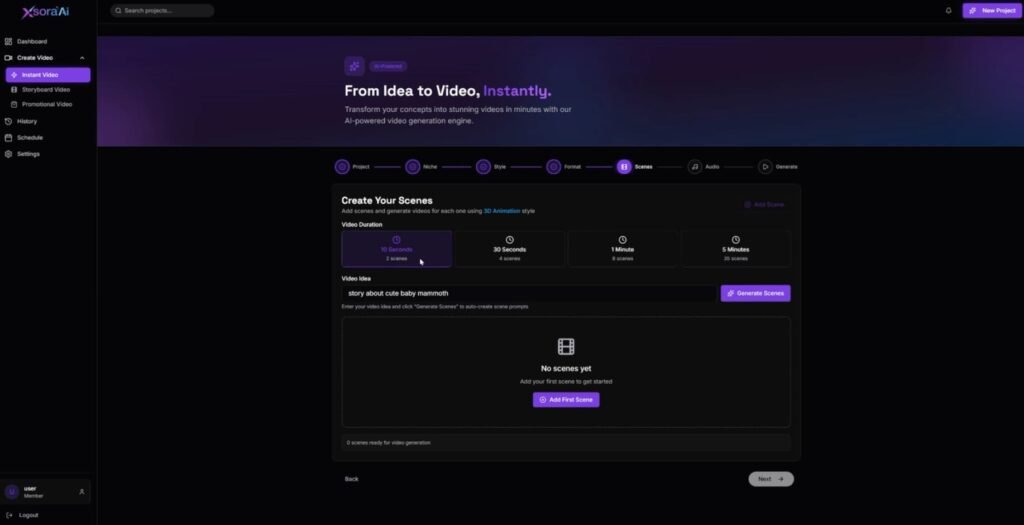
Auto Scene and Storyboard Flow
The app builds clips in scenes. That keeps attention because something changes every few seconds. Why it helps:
- The clip feels planned.
- Ads and explainers get a clear start, middle, and close.
- I spend less time on structure.
Auto Captions With Voice Sync
Captions matter because many people watch with sound off. XsoraAI creates captions and lines them up with the voice. Why it helps:
- Better watch time.
- Clear message fast.
- No manual caption grind.
AI Voices and Multi-Language Support
Your notes mention 21+ voices on starter, more voices on Pro, and 29 languages. Why it helps:
- I can reach more markets.
- I can make local clips without hiring voice talent.
- I can test niches in other regions.
Music and Transitions Without a Timeline
XsoraAI adds music and transitions without a classic editor. Why it helps:
- The clip feels “done.”
- I skip audio trimming and fade work.
- I stay in one workflow.
Short-Form Format and Platform Fit
XsoraAI is focused on vertical shorts and fast pacing. Why it helps:
- Less resizing later.
- Clips feel native in the feed.
- I can reuse the same idea across platforms.
Multi-Platform Export and Posting
Your notes say it can auto-post to up to 12 platforms. Why it helps:
- One batch can cover multiple apps.
- I stay present in more feeds.
- I spend less time on uploads.
Niche Templates
Templates cover niches like marketing, gaming, kids, cooking, travel, fitness, and education. Why it helps:
- I start fast on days I feel stuck.
- The structure fits the niche.
- It sparks new angles.
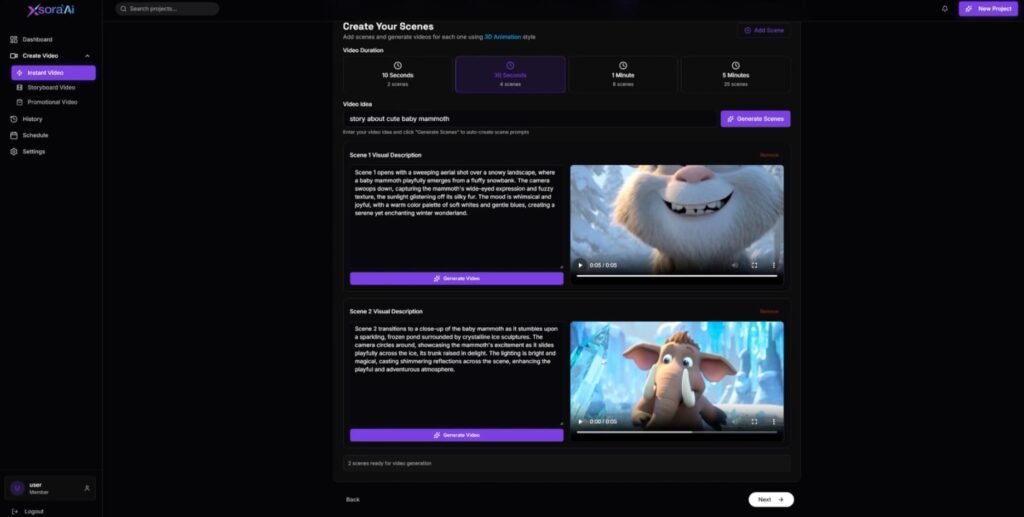
Content Calendar and Scheduling
Consistency wins in short content. A calendar keeps the plan clear. Why it helps:
- I batch work on one day.
- I schedule a week ahead.
- I post even when I am busy.
Commercial Rights Included
Your notes say commercial rights are included. Why it helps:
- I can sell shorts to clients.
- I can offer “X shorts per week” and fulfill fast.
- I can scale service work without hiring editors right away.
XsoraAI vs Similar Video Tools
Here is the straight comparison from how I think about tools.
XsoraAI vs CapCut
CapCut is great when I already have footage and want trendy edits. But I still need clips and manual timing. XsoraAI wins when I have no footage and want an idea turned into a full clip fast.
XsoraAI vs Canva Video
Canva is strong for brand control, exact fonts, and custom layouts. But I still build the video scene to scene. XsoraAI wins when I want the tool to build the first draft for me.
XsoraAI vs InVideo or Pictory
InVideo and Pictory can turn scripts into videos, often with stock footage. XsoraAI feels more focused on short-form pacing and quick batch output, which matters if Shorts and Reels are the main plan.
XsoraAI vs Full Pro Editor Apps
A full editor gives deep control, but it costs time. XsoraAI trades some control for speed. For most daily shorts, that trade makes sense.
XsoraAI Pros and Cons
Pros
- Fast idea-to-video workflow
- No camera needed
- No editor timeline needed
- Captions and voice sync save a lot of time
- Many styles and languages
- Scheduling helps steady posting
- Commercial rights fit client work
Cons
- Visuals can feel generic with weak prompts
- Less fine control than a full editor
- Music can feel safe, so some niches may need a swap
What Real Users Say After Trying XsoraAI
I read and watched a mix of reviews and demos before writing this. The same themes show up again and again.
People Like the Speed
A hands-on write-up says the tool handles scenes, transitions, captions, voice, and music, so you can get a full short video without classic editing software.
People Like That It Aims at Short Platforms
Some reviewers stress that it is meant to help regular people publish short videos often, not replace pro editors.
People Want More Control
This is the trade. Users like fast output, but they also want more control over scene picks, exact visuals, and fine timing. That matches my own use: it is great for bulk content and first drafts, then I polish the winners.
Tips and Tricks: How I Get Better Results
Write the hook first
Short videos live or die in the first line. I use hooks like:
- “Stop doing this if you want more sales.”
- “Three gym mistakes new people make.”
- “One travel trick that saves money.”
Give the AI a simple outline
I keep it tight:
- Hook
- Tip one
- Tip two
- Tip three
- Close
Keep lines short
Short captions read better. If a line is long, I split it.
Batch in sets of 10
One niche, one style, one voice. Ten clips in one run. This keeps the channel look consistent.
Polish only the winners
If a clip starts to get views, I export and add a custom clip, logo, or music swap in a simple editor.
XsoraAI FAQ
Do I need video editing skills to use XsoraAI?
No. It is built for beginners. You enter an idea and pick settings. The tool builds the clip.
Can I use XsoraAI videos for client work?
Yes. Your notes say commercial rights are included, so client work is part of the deal.
What platforms are the videos made for?
Short platforms like TikTok, Instagram Reels, YouTube Shorts, and short video ads.
Is XsoraAI a monthly plan?
Your notes say it is sold as a one-time buy with plans and optional upgrades. Some usage may run on credits or your own API, based on the plan.
Can I make videos in other languages?
Yes. Your notes list 29 languages.
Conclusion: My Recommendation After Using XsoraAI
XsoraAI is built for one thing: fast short videos from simple ideas. It gives me scenes, captions, voice, music, and vertical format without editing timelines or filming.
The main drawback is control. If I want a very custom brand look, I still do a light edit pass.
I recommend XsoraAI for faceless creators, affiliate marketers, and freelancers who sell shorts and need output fast. If your goal is daily posting and quick testing, this tool can turn “I should post” into “I posted.”