


Hi, this is Darius, and welcome to my Showcase AI review.
I tested Showcase AI because I keep seeing the same problem in marketing and eCom: photos do not stop the scroll like video does. But making video can eat time, money, and patience. This tool aims to fix that.
Showcase AI turns a single photo or product image into a high-quality video in minutes. No camera. No actors. No editing know-how. I upload an image, choose a style, tweak a few details, then generate a ready-to-post video.
It can make talking avatar clips, product demo videos, ad-style videos, and “movie-like” showcases that feel like a studio shoot.
If you sell products, promote offers, or post content for clients, the promise is simple: make more videos, faster, with less stress.
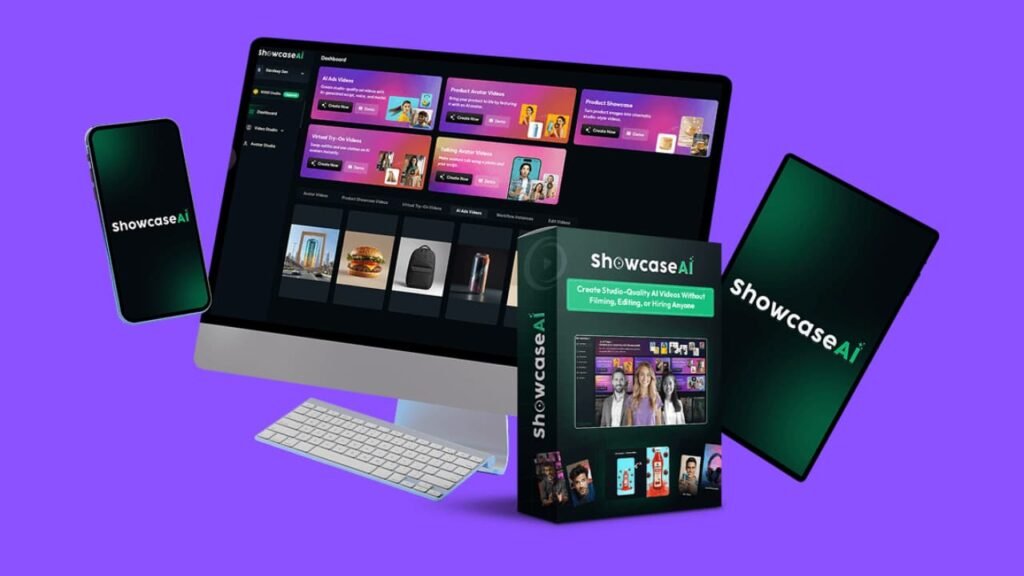
What Showcase AI Is and Who It’s For
Showcase AI is an AI video maker built around one simple idea: start with images, end with videos.
It fits people who need content often:
- Online store owners who need product videos for listings and ads
- Marketers who run promos and want fresh creatives each week
- Creators who post short videos on social apps
- Freelancers who sell video ads, product clips, or brand reels
- Agencies that handle many client accounts
If you already film content and love editing, you may not “need” this. But if you avoid video because it feels like a big job, this tool makes video feel doable.
The Core Promise in Plain English
I take one product photo and turn it into:
- A talking avatar video that explains the product
- A product “host” clip where an avatar presents the item
- A clean demo video with motion, angles, and background changes
- A short ad with script, voice, pacing, and captions
- Try-on style visuals for fashion items (more on that below)
So instead of planning a shoot, I can publish more video content without getting stuck.
Showcase AI Design and Build Quality
The best tools feel simple the first time you open them. That is what I look for.
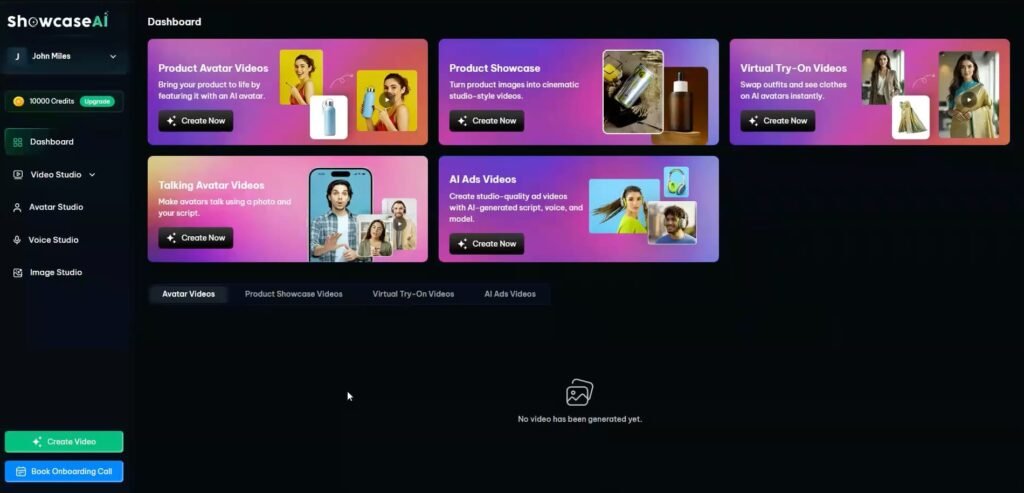
Showcase AI runs in a browser. The layout feels like it was made for speed. Most steps follow the same flow: upload, pick a style, edit text and voice, generate.
Here’s what I liked about the “quality” side:
- The dashboard keeps each project clear and easy to find
- The template library saves time when I do not want to start from zero
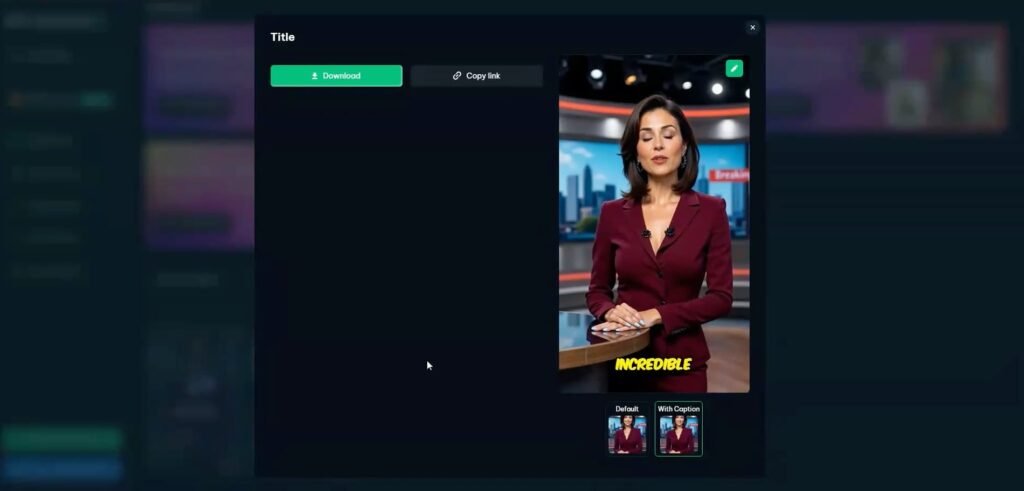
- The built-in editor covers the basics like trimming, merging, and captions
- Output videos look clean enough for ads and product pages
I also like when a tool does not force me to jump between five apps. Here I can do most tasks in one place.
Now, if you can upload an image and type a few lines, you can use it. The tool does a lot for you, but it also gives control where it matters.
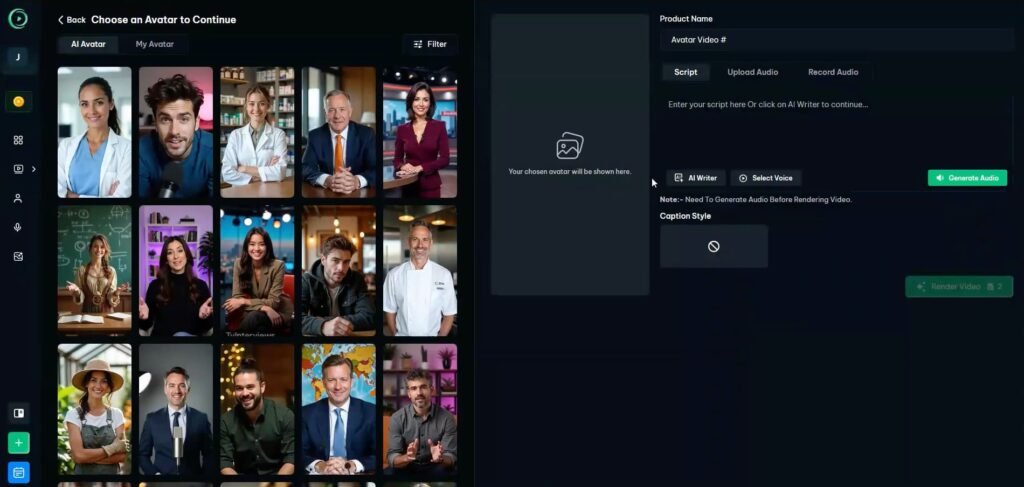
I can edit the script, change the avatar, swap the voice, adjust captions, and fine-tune the final clip. That balance helps.
Showcase AI Review: Demo Video
Showcase AI Pricing Breakdown and Best Deal Tips
Here’s how the Showcase AI pricing is set up, in plain English, so you can pick the level that fits how often you plan to make videos.
Showcase AI Front End Price ($47)
The Front End is $47 and it gives you the core platform. This is the best starting point if you want to create videos from images without filming or editing. What you get in the Front End:
- 150 AI credits to create videos
- Talking avatar videos
- Product avatar videos
- Product showcase videos
- AI-generated ad videos
- Image studio + ad templates
- Custom avatars from image or video
- AI voice-over generator
- Built-in video editor + clip merger
- Captions, plus the option to upload your own voiceover
Coupon: SHOW10 gives $10 off the Front End.
My quick take: if you want the tool for client work, steady content, or ads every week, the Bundle is the smarter buy for most people.
Upsell 1: Showcase AI Pro ($67)
Pro is $67 and it’s aimed at people who create videos regularly and want stronger branding options. What Pro adds:
- +200 AI credits
- Voice cloning
- More video, product, and ad templates
- Product showcase + ad video options included
- 1 custom template request per month
- Expanded avatar and product presenter library
Best for: creators and marketers who post often and want a more “branded” feel.
Upsell 2: Showcase AI Agency ($27/month)
Agency is $27 per month and it’s built for freelancers and agencies managing client work. What Agency adds:
- 100 AI credits every month
- Unlimited fashion video avatars
- Social media scheduler for video + image ads
- New ad and image templates added monthly
- Client workspaces and project reviews
- Manage multiple customers from one dashboard
Best for: anyone doing client videos, or anyone who wants scheduling and client workflow in one place.
Upsell 3: Showcase AI Traffic Suite ($47)
Traffic Suite is $47 and it focuses on volume and content output. What Traffic Suite adds:
- +150 AI credits
- Multiple AI video models for short clips
- Multiple AI image generation models
- Faster content creation for ads and promos
Best for: ad testing and creating lots of versions fast.
Upsell 4: Showcase AI Done-For-You ($297 / $497 / $997)
These are one-time DFY packages where the team makes the ads for you. You give brand details, then they deliver finished creatives. Options:
- DFY Gold $297: 5 AI video ads + 5 AI image ads
- DFY Elite $497: 15 AI video ads + 15 AI image ads
- DFY Platinum $997: 30 AI video ads + 30 AI image ads
Best for: busy business owners who want ready-to-run ads without learning the tool.
Upsell 5: Showcase AI Mastery ($997)
Mastery is $997 and it’s advanced training, not just software. What Mastery includes:
- 20 VIP AI training videos
- Access to the AI Mastery App
- Advanced strategies for AI content
Best for: advanced users who want deeper training and systems, not just the tool.
Showcase AI Bundle Price ($347) — Best Deal
The Showcase AI Bundle is $347 and it stacks the core app plus upgrades in one package. If you already know you will use this often, this is the pricing option that usually gives the most value, since it rolls in more tools and access.
Bundle includes:
- Showcase AI Front End (normally $47)
- OTO1: Showcase AI Pro (normally $67)
- OTO2: Showcase AI Agency (normally $27/month)
- OTO3: Showcase AI Traffic Suite (normally $47)
- OTO5: Showcase AI Mastery (listed as $997)
- All bonuses (Android mobile app, extra avatar packs, extra video templates, extra image templates, captions mobile app)
- Tutorials + knowledge base
Coupon: SHOWCASE50 gives $50 off the Bundle.
Order Bumps to Know About
These show up during checkout, so here’s what they mean.
Showcase AI Done-for-You Order Bump ($297–$997)
This DFY Bump is offered as an order bump to the bundle deal where you choose a package (5, 15, or 30) and they deliver video + image ads made for your brand.
Showcase AI Mega Bundle Order Bump ($97)
Mega Bundle Deal is offered as an order bump to the bundle deal. This one is for heavy users:
- Doubles your credits
- Adds access to 1 million image and video prompts
- Priority rendering and support
- Unlocks future upgrades to AI video and image models
Best for: power users who hate waiting and plan to generate lots of content.
Showcase AI Free Bonuses
Bonus #1: Image Prompts Pack (Worth $199)
This pack gives you 4,000+ proven image prompts so you do not guess what to type. Prompts are sorted by industry and style, so you find what you need fast. It helps you create better product visuals even if you are not a designer. You save hours of trial and error and get cleaner results quicker. It also helps you keep a consistent look across your brand. Best for ads, thumbnails, and social posts.
Bonus #2: Video Prompts Pack (Worth $199)
You get 1,000+ video prompts for hooks, B-roll ideas, shorts, and scripts. This helps you turn a rough idea into a video plan in minutes. The prompts push you to start strong and keep attention. You also get ready-to-use structures for offers and calls to action. That means your videos can sell, not just look nice. Best for short ads and daily content.
Bonus #3: Access to Image Editor (Worth $499)
This bonus lets you edit and brand your visuals in one place. You can use drag-and-drop tools to adjust layouts, add overlays, and tweak the look fast. It makes it easy to resize content for each platform without extra tools. This is handy when you need quick changes for ads or product pages. It can cut down on design costs if you usually hire someone for simple edits. Best for marketers and store owners who publish often.
Bonus #4: Sales Copy Writer (Worth $499)
This tool turns your product details into sales copy in minutes. You enter the product name and niche, then add your audience, pain points, and CTA goal if you want. It generates clear copy for landing pages, ads, and offers. This helps when you know your product is good but you struggle to write. You can make more ad angles faster and test what converts. Best for anyone selling products, services, or affiliate offers.
Bonus #5: InboxGun (Worth $1997)
InboxGun is an email builder web app that helps you create emails without coding. It’s built to make emails look clean and pro with less effort. You can build faster, reuse layouts, and keep your branding consistent. It also supports collaboration, which helps if you work with a team or clients. This bonus is useful if email is part of your sales plan. Best for newsletters, promo emails, and launch sequences.
Bonus #6: Access to AutoLeadFindr (Worth $1999)
AutoLeadFindr helps you find leads in any niche and location fast. It pulls useful details like websites, emails, phone numbers, and social profiles. This saves time because you stop chasing bad leads and focus on better ones. It also helps you write smarter outreach since you have more info on each lead. If you sell services or run an agency, this can speed up client hunting a lot. Best for freelancers, agencies, and local business outreach.
Showcase AI Features and How They Help Me
This is where Showcase AI earns its keep. Below are the main features, plus what they do for real work.
AI Talking Avatar Videos
This feature turns a photo into a talking “head” video. I upload a face image, add text, choose a voice, then generate.
What I notice:
- Lip sync looks solid in many cases
- Facial movement feels natural enough for short ads and explainers
- Great for intros, quick product explainers, and FAQ clips
How it helps me:
- I can make a “face-led” video without showing my own face
- I can test many hooks fast, which matters for ads
Use case ideas:
- “Here’s what this product does in 15 seconds”
- “Three reasons this solves your problem”
- “Quick warning: avoid this mistake”
Product Avatar Videos
This is similar to the talking avatar, but the video centers on a product pitch. The avatar acts like a presenter for the item.
How it helps me:
- I can build a simple product pitch video for a store page
- I can make ad creatives that feel more human than plain slides
This works best when I keep the script short and clear. I aim for punchy lines, not long speeches.
Studio-Style Product Showcase Videos
This feature turns product images into a “showcase” with motion, angles, lighting changes, and backgrounds. Think “clean promo clip” that looks like it took real effort.
How it helps me:
- I can turn a basic product listing into something that looks premium
- I can reuse one product image set for many clips, each with a new style
- It gives me more content without more photos
For stores, these clips can help raise trust. People see movement and detail, not a flat image.
AI Ad Videos
This is one of the biggest time savers. The tool can create ad videos with script, voice, visuals, and timing.
How it helps me:
- I can generate fast ad drafts and pick the best one
- I can split test hooks, offers, and angles without editing all day
- I can create ads for many niches without a big setup
My tip: I still edit the script. AI text can sound stiff if I leave it raw. A quick rewrite makes it sound more real.
Virtual Try-On Videos and Images
This is aimed at fashion and items people “wear,” like clothes and add-ons. The goal is to show the item in action, not just on a white background.
How it helps me:
- It can make product pages feel more alive
- It can help shoppers imagine fit and look faster
- It can support catalogs and social posts for fashion brands
I treat this as a “boost” feature, not a full replacement for real model photos. But it can fill content gaps fast.
Voice Clone
Voice clone lets me use a voice that sounds like mine across many videos.
How it helps me:
- Brand feel stays the same across clips
- I do not need to record voiceovers for every new ad
- Great if I want “my voice” without always using a mic
Tip: Use clean voice input if you can. The better the sample, the better the clone tends to sound.
Many-Language Video Output
Showcase AI can create videos in many languages with matching voice and lip sync.
How it helps me:
- I can reach new markets without re-recording
- I can make local ads for clients in other regions
- I can test new offers across markets faster
Even if I only run English ads now, this gives options later.
Templates Library
Templates matter more than people think. When I want speed, I pick a template and adjust text and visuals.
How it helps me:
- I avoid blank-page stress
- I keep a steady posting pace
- I can match styles for a brand or campaign
Shopify Plugin
If you run a Shopify store, this can save time. It lets you generate videos for store products using the same credit system.
How it helps me:
- Less copy-paste work
- Faster path from product page to video ad
- Easy content updates when I add new products
Built-In Editor and Captions
I do not want a full “pro editor” inside a tool like this. I want the basics done well.
The editor helps me:
- Merge clips
- Add captions
- Tweak timing
- Make small changes without extra software
Captions are huge for short videos since many people watch on mute.
Showcase AI vs Similar Tools
Showcase AI sits in a space that overlaps with video editors and avatar tools, but it focuses on image-to-video speed.
Here’s how I see it compared with other popular options:
- Canva: Great for simple video slides and quick edits. Less focused on “image to full ad video” with avatars and auto scripting.
- InVideo: Strong for template-based video builds. Showcase AI feels more “image-first” and avatar-first for quick ads.
- Pictory: Often used for text-to-video and long content clips. Showcase AI feels more tuned for product visuals and store ads.
- Synthesia: Very strong avatar focus. Showcase AI adds more product showcase styles plus store use cases.
- HeyGen: Also strong avatar content. Showcase AI leans harder into product images, ads, and store workflows.
If your main goal is “I want a talking presenter,” avatar-first tools may compete well. If your main goal is “I have product photos and need many video ads fast,” Showcase AI has a clear angle.
Pros and Cons
Pros
- Fast image-to-video workflow
- Good mix of avatars, product demos, and ad formats
- Templates speed up content output
- Voice clone helps keep a brand feel
- Many-language output helps reach new markets
- Built-in captions and basic editing saves time
- Shopify support can reduce busy work for store owners
Cons
- You still need to review scripts or they can sound stiff
- Results depend on image quality; blurry inputs can lead to weaker videos
- Some styles may look similar after a while if you never change templates
- Try-on style content may not replace real model shoots for premium brands
- You may need extra credits if you generate lots of versions every day
What Real Users Tend to Say in Reviews
I see the same themes come up when people talk about tools like this, and Showcase AI fits those patterns.
What users often like:
- Speed: people love getting a usable video in minutes
- Ease: beginners feel less fear since there is no “pro editing” wall
- Variety: many styles let them reuse the same product images in new ways
- Better ads: people say it helps them test more ad angles fast
- Better store pages: some store owners say videos lift trust and click rate
What users often complain about:
- AI scripts feel generic if they do not edit them
- Some avatar outputs feel “not quite human” if the source photo is low quality
- Credit use can add up if they generate many versions without a plan
- People want more fine control in editing than the tool aims to give
This matches my view: it works best when I treat it as a speed tool, then I add a human pass on script and pacing.
Tips and Tricks to Get Better Results
These tips can save you time and raise video quality fast.
Start With Clean Images
Use sharp, well-lit product photos. If the item is small, zoom in. If the item has key details, include close-ups. Better inputs lead to better outputs.
Keep Scripts Tight
Short videos win. I aim for:
- 1 strong hook
- 1 clear benefit
- 1 proof point or feature
- 1 simple call to action
Even 20–35 seconds can work well for ads.
Make 3 Versions, Not 30
It’s easy to burn credits while chasing “perfect.” I pick three angles, generate three drafts, then choose one to polish.
Use Captions Every Time
Captions help watch time. They also make the video feel more “native” on social feeds.
Build a Repeatable Workflow
My simple workflow looks like this:
- Pick one product
- Make 2 avatar clips (two hooks)
- Make 1 showcase clip (clean visuals)
- Make 1 ad clip (offer + call to action)
- Post and test
This turns one product into a small content pack.
Match Voice and Brand Style
If you use voice clone, keep the tone steady. If you use AI voices, pick one voice and stick with it for a brand. That simple choice can raise trust.
Showcase AI FAQ
Do I need editing skills to use Showcase AI?
No. I can start with basic uploads and templates. The tool handles most tasks. I only edit when I want the script or captions to sound more like me.
Can I use it for client work?
Yes. It fits client work well since you can make ads and product videos fast. If you manage many clients, the agency options can help with team flow.
What types of videos can I make?
Talking avatar clips, avatar product pitches, product showcase videos, ad videos, plus try-on style visuals for fashion items.
Can I create videos for social apps and ads?
Yes. That’s one of the main uses. I create short clips for feeds, stories, and paid ads.
Is it a one-time payment or a plan?
The front-end offer is often a one-time price. Extra upgrades may include more features or monthly options, based on what you pick.
What makes it different from a normal video editor?
A normal editor still needs footage, timelines, and manual work. Showcase AI focuses on turning images into finished video formats with AI doing most of the heavy lifting.
Final Verdict and Who I Recommend It For
After testing Showcase AI, I see it as a practical tool for one main job: turning product photos into video content fast.
It works best for:
- Shopify store owners who want more product videos without filming
- Marketers who need many ad drafts each week
- Creators who want short videos but hate editing
- Freelancers who sell quick video ads and product clips
The main drawback is simple: you still need a human pass. I do not publish raw AI scripts as-is. I rewrite the lines, keep the tone natural, and trim the fluff. When I do that, the output feels much more real.
If you want faster video output from simple images, and you want more formats than a basic template editor, Showcase AI is worth it. If you want deep pro editing control, you may feel limited and may prefer a full editor instead.
If you tell me what you sell (product type, price range, and target buyer), I can map out 10 video angles and hooks you can generate in Showcase AI right away.